Guides
How to Get Mileage Logs From Clients (Template Included) (2026)
How to get mileage logs from clients. What the IRS and CRA require, a copy-ready log template, a yearly vehicle summary, how often to ask, and no-log fixes.
By Bibin MathewUpdated 21 min read
The short answer
Ask for a mileage log that shows the date, destination, business purpose and distance of every business trip, plus odometer readings at the start and end of the year, so total and business miles or kilometers are both known. In the US that matches what IRS Publication 463 asks you to prove; in Canada the CRA wants a full logbook in the base year and allows a three-month sample logbook after that. Send a short yearly vehicle summary with the log, collect the fuel, insurance, lease, loan and repair records only when the client uses the actual expense method, and ask quarterly or monthly for the clients who drive the most. When there is no log, gather the calendar, invoices and map history and let the client's advisor decide whether a reconstructed log is defensible.
Every tax season has the same conversation. You ask a self-employed client for their mileage log. They say "about 12,000 miles, mostly business." You ask for the log itself, and three weeks later a spreadsheet arrives with round numbers in every row and the same six destinations repeated through the year.
This guide is for bookkeepers, tax preparers and accountants in the United States and Canada whose clients claim a vehicle on a Schedule C or a T2125. It covers what a log must contain under IRS and CRA rules, a log template and a yearly vehicle summary you can copy into any request, the documents that go with actual expenses, how often to ask, what to do when the client has nothing, and how to collect all of it in Tangentflow. For the full self-employed list, see our self-employed tax documents checklist; for individual slips and deductions, the tax document checklist for clients.
Why clients never have a log until March
The log is the one record on the tax checklist the client has to create themselves, every day, with no bank, employer or platform producing it for them. Many clients think a yearly total is the log. And the request arrives once a year, when the trips are 14 months old and the phone that had the app on it has been replaced. Each of these has a fix on the collection side: ask for the log by its parts, show the template, ask more often for the people who drive a lot, and give clients one place to send the export or a photo of the paper book.
What the IRS requires in a mileage log
The IRS does not publish a mandatory log form. Publication 463, Table 5-1 lists what you must be able to prove for car expenses.
| Element | What Publication 463 asks you to prove for car expenses |
|---|---|
| Amount | The cost of the car and any improvements, the date you started using it for business, the mileage for each business use, and the total miles for the year |
| Time | The date of the use of the car |
| Place | Your business destination |
| Business purpose | The business reason for the trip |
Four rules from the same chapter shape the request. Records should be made "at or near the time" of the trip, so a log written in March is weaker than one kept weekly. Total miles for the year are part of the record, which is why odometer readings at the start and end of the year belong in every request. A partial-year record can prove the whole year only if the sample period is shown to be typical. And reconstruction is allowed when records were lost beyond the taxpayer's control, which is not the same as never keeping one. Schedule C Part IV asks directly for the date placed in service, business, commuting and other miles, personal availability, and whether written evidence exists.
Standard mileage rate vs actual expenses
IRS Topic 510 sets the method rules. To use the standard mileage rate on a car the client owns, they must choose it in the first year the car is available for business use; later they can switch, subject to depreciation rules. On a leased car the standard rate, once chosen, applies for the entire lease period. Under actual expenses, the client prorates gas, oil, repairs, tires, insurance, registration, licenses, and depreciation or lease payments. Either way, the business-use percentage comes from the log.
For 2026 the IRS set the business rate at 72.5 cents per mile from January 1 through June 30 and 76 cents per mile from July 1 through December 31 (IR-2026-29), after 70 cents for all of 2025. Because 2026 has two rates, a 2026 log needs dates on each trip, not just a yearly total. Confirm the current figures on the IRS standard mileage rates page before you file.
What the CRA requires in a vehicle logbook
In Canada there is no standard rate for self-employed clients. Motor vehicle expenses on a T2125 are the actual costs multiplied by business kilometers over total kilometers, and the CRA says the best evidence of business use is a logbook kept for the whole year. Its motor vehicle records page sets out two options.
Full logbook. For each business trip, record the date, destination, purpose and number of kilometers driven. Record the odometer reading of each vehicle at the start and end of the fiscal period, and the date and reading whenever a vehicle is bought, sold or traded.
Simplified logbook. After one complete year of a full logbook, the base year, the client can keep a three-month sample logbook in later years and use it to work out business use for the whole year, as long as use stays within the same range as the base year (the CRA's page says within 10%). The CRA's formula:
(Sample year period % ÷ Base year period %) × Base year annual % = Calculated annual business use
The base-year logbook must be kept for six years from the end of the tax year for which it was last used, so year one's log is a permanent record.
Deductible costs: fuel and oil (or electricity for a zero-emission vehicle), maintenance and repairs, insurance, licence and registration, loan interest, leasing costs and capital cost allowance, with business parking and supplementary business insurance deductible in full. Passenger vehicles have CCA, interest and lease limits by purchase year, so collect the purchase or lease agreement and let the preparer apply them.
A mileage log template clients can copy
Give clients the format, not just the ask. This works as a spreadsheet, a printed sheet in the glovebox, or the columns to expect in an app export.
| Date | From | To (destination) | Business purpose | Odometer start | Odometer end | Miles or km | Parking and tolls |
|---|---|---|---|---|---|---|---|
| Jan 6 | Home office | 142 Maple Ave, client site | Kitchen reno estimate, Ortiz job | 48,210 | 48,231 | 21 | |
| Jan 6 | 142 Maple Ave | Supply depot, Westside | Pick up cabinet hardware, Ortiz job | 48,231 | 48,244 | 13 | $4.00 parking |
| Jan 8 | Home office | Downtown courthouse | Permit filing, Nguyen job | 48,310 | 48,329 | 19 | $12.00 parking |
Rules to put under the template:
- One row per trip, not one per day. Two stops are two rows.
- Destination means an address or a named place, not "client" or "errands."
- Purpose names the job or the client. "Meeting" is not a purpose. "Site visit, Ortiz kitchen" is.
- Odometer columns are optional per trip but required for the year. Personal trips are not logged, but the yearly total includes them, which is what the January 1 and December 31 readings are for.
The yearly vehicle summary: six questions to ask with the log
A log on its own does not say which vehicle it covers or which method applies. Send these questions with the log item; the answers decide what else you need.
| Question | Answer type | Why you need it |
|---|---|---|
| Did you use a vehicle for business this year? | Yes/no | Decides whether the rest of this section appears at all |
| Which vehicle (year, make, model, owned or leased), and when was it first used for business? | Short text and date | Identifies the asset; Schedule C asks for the date; leased cars have different rules |
| Odometer reading on January 1 and December 31 (or at purchase and sale) | Two numbers | Total miles or kilometers for the year |
| Total business miles or kilometers for the year | Number | The numerator, which should match the log |
| Which method: standard mileage rate or actual expenses? (US only) | Single choice | Decides whether you also need fuel, insurance, repair and loan records |
| Was the vehicle available for personal use, and did you buy, sell or trade a vehicle this year? | Yes/no, twice | Both agencies ask about personal use; a change triggers the purchase agreement and odometer-at-change items |
Ask for a photo of the odometer near January 1 and near December 31: a two-second task and the best supporting record for the yearly total.
Documents to collect for actual expenses
If a US client uses actual expenses, or for every Canadian client, the log is only half the request. Ask for the costs under a "Vehicle costs" heading so they do not get mixed into general receipts.
| Document | US standard mileage rate | US actual expenses | Canada (T2125) |
|---|---|---|---|
| Mileage log (date, destination, purpose, distance per trip) | Required | Required | Required |
| Odometer readings or photos, start and end of year | Required | Required | Required |
| Parking fees and tolls for business trips | Yes, on top of the rate | Yes | Yes, parking deductible in full |
| Fuel receipts or a fuel summary from a card statement | No | Yes | Yes |
| Repairs, maintenance, tires, oil changes | No | Yes | Yes |
| Insurance declarations page, registration and licence fees | No | Yes | Yes |
| Loan statement showing interest paid for the year | No | Yes | Yes, subject to limits |
| Lease agreement and 12 months of lease payments | No | Yes | Yes, subject to limits |
| Purchase agreement or bill of sale (year acquired or sold) | Year acquired, for the record | Yes, for depreciation | Yes, for CCA |
Clients rarely have every fuel receipt; a fuel card statement or a filtered list of card charges is usually an acceptable summary, with the preparer deciding the level of support. For Canadian input tax credits, receipts matter more; see our GST/HST receipt requirements for ITCs.
How often to ask: yearly, quarterly or monthly
The most effective change most firms can make is to stop asking for the log once a year. A 60-day-old log is easy to fix. A 14-month-old log is a reconstruction project.
| Cadence | What you ask for | Best for | Downside |
|---|---|---|---|
| Yearly (January or February) | The whole year's log, odometer start and end, vehicle summary, cost documents if actual | Light vehicle use; proven app users | Gaps are found a year late |
| Quarterly (with estimated tax or instalment requests) | The quarter's export, a current odometer photo, "any vehicle changes?" | Most self-employed clients who drive regularly | One more item in the quarterly request |
| Monthly (with monthly bookkeeping) | The month's export or paper log photos, fuel and repair receipts | Contractors, agents, drivers; anyone with a history of "no log" | Only worth it if you already collect monthly |
A reasonable default: monthly as an optional item on the monthly bookkeeping checklist; quarterly with the quarterly estimated tax documents request; yearly only for proven app users. Whatever the cadence, the year-end request still asks for the odometer readings and the vehicle summary.
When there is no log: reconstruction
Some clients will arrive with nothing. Your job on the collection side is to gather the raw material for the person who decides, the client's tax preparer or advisor. Whether a reconstructed log is defensible is their call, and this guide does not give legal advice on where that line sits. What to collect:
- The calendar, exported for the year with locations.
- Invoices and job records. Each has a date and a customer address, which is close to a trip list already.
- Map and platform history. Google Maps Timeline if it was on, and ride or delivery platform trip histories or annual summaries, which the preparer interprets.
- Fuel, toll and parking records, which show the vehicle was driven, where and when.
- Odometer evidence. Service records, inspection reports, insurance renewals and purchase or sale paperwork all record a reading on a date.
Build a draft log from the calendar and invoices with distances from a maps tool, labeled clearly as a reconstruction with its sources and the month it was prepared. Both agencies treat a log kept during the year as the real evidence, so the preparer may accept it, claim less, or claim nothing for the vehicle. For a single trip with a receipt but no log entry, pair the evidence with a short signed statement, as in our missing receipt form template; neither agency promises to accept one.
Mileage apps, honestly
Apps such as MileIQ, Everlance, TripLog, Driversnote, Hurdlr and the mileage tracking inside QuickBooks work in broadly the same way: the phone detects driving, records each trip's start, end and distance, the client classifies each trip as business or personal, and a report exports as a PDF or CSV. That covers dates, destinations and distances well. The weak spots are business purpose, which many clients never add, auto-tracking that stops silently after a phone update or a lapsed subscription, and total miles for the year, which need odometer readings the app may not hold. An export is a record the client produced, not verification.
| What to ask for | Why |
|---|---|
| The annual or quarterly report as a PDF, or a CSV if you want to total or filter trips | Easiest to review and attach to the file; the CSV is one row per trip, close to the template |
| Every trip classified before exporting, and a count of any left unclassified | Unclassified trips are excluded or blank, and forgotten later |
| A short note per trip, or named frequent destinations ("Ortiz job site") | Supplies the business purpose the app cannot know |
| A screenshot of the app's odometer or yearly total screen, if any | Closes the total-miles gap |
Mileage logs in Tangentflow, step by step
Tangentflow does not compute the deduction, check the miles against anything, or decide whether a log is defensible. It collects the log, the odometer photos, the summary answers and the cost documents through one private link, checks that what arrived is what you asked for, and chases what is missing.
1. Start from "Year-end documents" and add a Vehicle section
Open "Checklists," choose "Browse templates" and pick "Year-end documents," or open your existing self-employed checklist. Add a "Vehicle" section heading so the log items sit together on the client's phone.

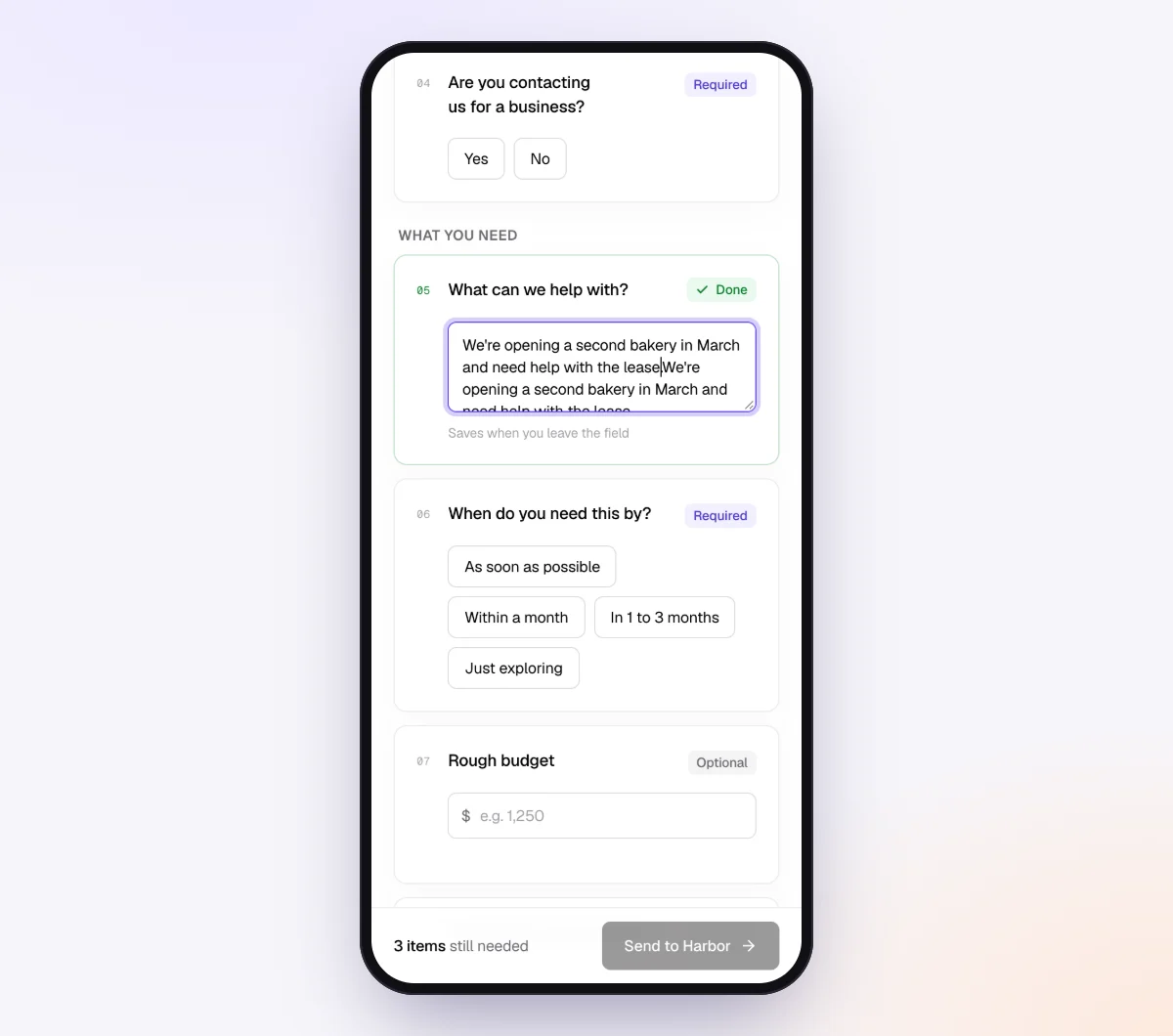
2. Add the vehicle summary as form fields with "Only ask if"
Add a yes/no form field: "Did you use a vehicle for business this year?" Then add the rest of the summary as form fields: short text, date, numbers, and a single choice for the method on your US checklist. Set "Only ask if" so the vehicle section appears only when the first answer is yes, and the cost-document items only when the method is "actual expenses."
3. Add the log as a "PDF or spreadsheet" item
Add a file item called "Mileage log for 2026" and set it to "PDF or spreadsheet" so an app export or a spreadsheet log uploads as it is, in PDF, Excel or CSV. In "What should it be?" write "a mileage log for 2026 with one row per business trip showing the date, destination, purpose and miles," and add a tip: "Export the full year from your app's Reports screen, or photograph each page of a paper log." When a spreadsheet arrives, the AI check reads the first rows to confirm what the file is and whether it covers the period. Add two photo items for the odometer at the start and end of the year, and an optional one for handwritten log pages (JPEG, PNG, WebP or HEIC, up to 25 MB each).

4. Send the request, or add it to a quarterly batch
Click "New request," choose the checklist, add a reference such as "2026 Schedule C" or "2026 T2125," the client's name and email, and a needed-by date a few weeks before your internal deadline. Use "Notes for the agent (private)" for context like "Leased a van in March, lease agreement needed." The AI collection agent sends the invitation, answers upload questions ("where is the export button in Everlance?") from your tips and notes, and hands tax questions to you. For quarterly collection, build a short "Vehicle, quarterly" checklist (log export, current odometer photo, "any vehicle changes?") and send it to every vehicle client through "Batches." On Pro, a monthly batch set to "Repeat every month" can carry the log export as an optional item.
5. Review and deliver
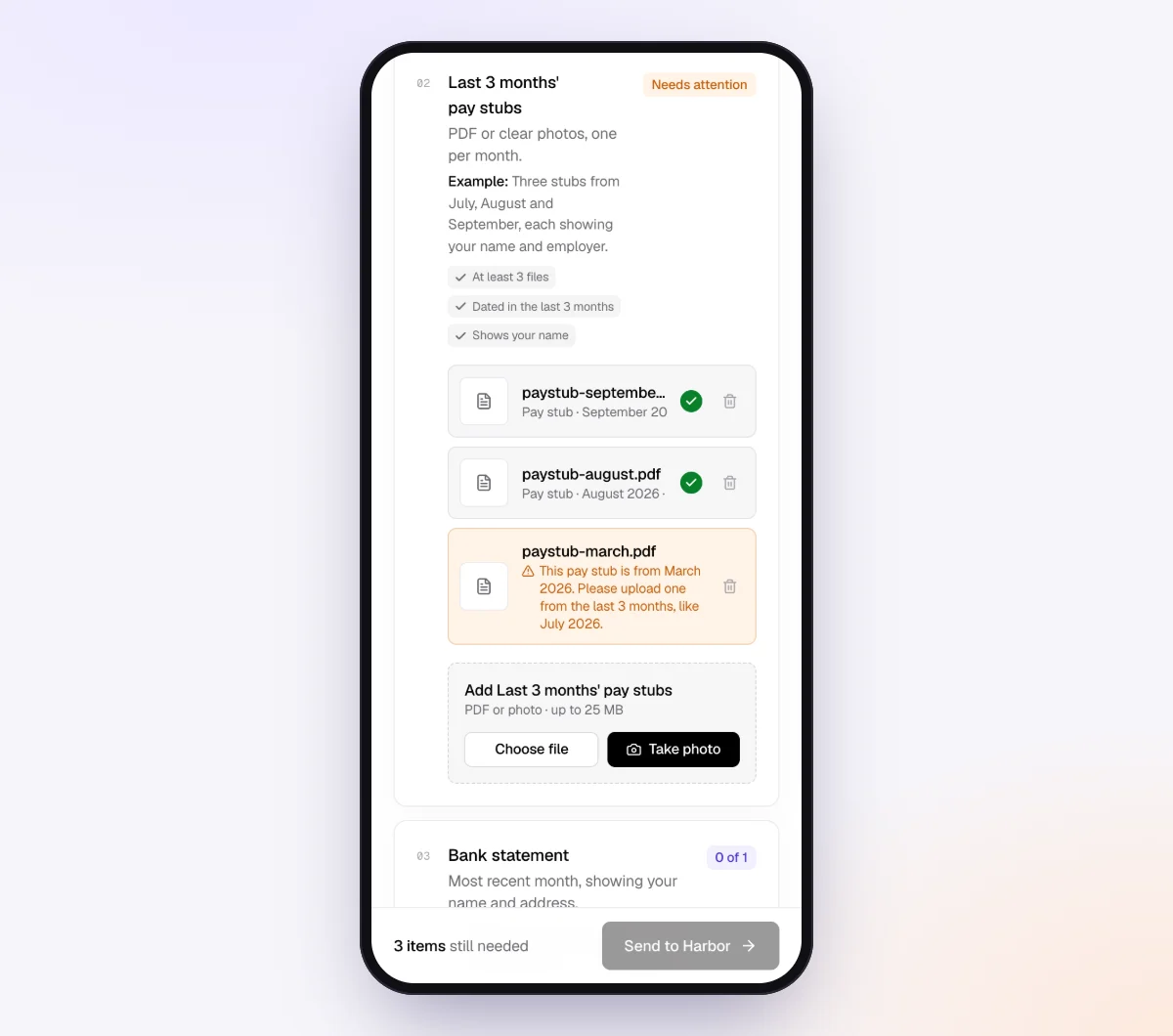
The request page shows each file with its check result, the client's answers, what is missing and the activity timeline. Use "Ask for changes" on the log if the purpose column is missing or the period is short. Download the ZIP, or on Pro deliver to Google Drive or a webhook; the "Evidence index (CSV)" in the request's menu gives one row per item and file with the check result, extracted facts and each answer. Move the vehicle records into your permanent file before the request's copies are deleted.
Setups by type of vehicle client
| Client type | Vehicle items to include | Cadence | Learn more |
|---|---|---|---|
| Trades contractor (US or Canada) | Log export or paper log photos, odometer photos, fuel and repair receipts, loan or lease statement | Monthly or quarterly | For bookkeepers |
| Real estate agent | Log with showing addresses, odometer photos, parking and tolls, cost documents if actual | Quarterly | Accounting and tax |
| Rideshare or delivery driver | Platform annual summaries, app export, odometer photos, phone bill, GST/HST number in Canada | Quarterly | Self-employed checklist |
| Consultant who visits clients | Log export, odometer photos, method question | Yearly if the app has been reliable | For tax preparers |
| Canadian client in year one | Full logbook every month, odometer at start and end of the fiscal period, all cost documents, purchase or lease agreement | Monthly | Self-employed checklist |
Keep separate US and Canadian checklists; the method question, units and base-year wording differ.
When something goes wrong
| Problem | Likely cause | Fix |
|---|---|---|
| "About 12,000 miles, mostly business" with no log | Thinks the total is the log | Send the template and the reconstruction list; start quarterly collection |
| App export has no business purpose | Trips classified but never annotated | Ask for notes on the top destinations; add a tip to the item |
| Export covers three months, not twelve | Auto-tracking stopped or a subscription lapsed | The check flags the short period; rebuild the gap from calendar and invoices |
| No odometer readings | Never recorded them | Ask for service records, inspection reports or insurance renewals with readings on dates |
| Client claims 100% business use | No personal vehicle, or misread the question | Flag it for the preparer; both agencies ask about personal availability |
| Canadian client wants the three-month sample | No full base-year logbook exists | A full logbook this year; the simplified logbook needs a base year first |
Check "Alerts" daily from late January, and name the mileage log in your tax season reminder emails.
Free and Pro, honestly
You can run a real request without paying anything.
| Free | Pro ($29/month) | |
|---|---|---|
| Open requests | 1 at a time | Unlimited |
| AI check on each file | Yes | Yes |
| AI autopilot (answers, reminders, follow-ups) | Your first request | Every request |
| Send to many clients at once (Batches) | No | Yes |
| Clients reply by email with attachments | No | Yes |
| Branding | Tangentflow badge | Your logo |
| Delivery to Google Drive or a webhook | No | Yes |
| Works with AI assistants (MCP) | No | Yes |
| File retention | 7 days | 60 days |
Both plans include unlimited checklists, QR codes and posters, ZIP export, AI summaries and email delivery. Pro is billed monthly with no contract, cancel any time. Full details on the pricing page.
What Tangentflow does not do: SMS or text messages, a native mobile app, full legal e-signature certificates, identity verification, collecting payments, or permanent storage. If you need any of those, pair it with a tool that does. It also does not compute mileage deductions, validate the miles in a log, track trips itself, prepare or file tax returns, or give tax advice.
The whole process as a checklist
- Ask for the log by its parts: date, destination, business purpose and distance for every business trip.
- Ask for odometer readings or photos at the start and end of the year.
- Send the yearly vehicle summary with the log, and ask the method question first.
- Collect vehicle cost documents only for actual expenses or Canadian clients, and keep purchase and lease agreements permanently.
- Tell Canadian clients that a full logbook in year one earns the simplified logbook afterward, and keep that base-year log for six years.
- Pick a cadence: monthly for bookkeeping clients, quarterly for most self-employed clients, yearly only for proven app users.
- Accept app exports as PDF or CSV, with trips classified and annotated before exporting.
- When there is no log, collect the calendar, invoices, map history and odometer evidence, label any reconstruction, and let the preparer decide.
- Set the log item to "PDF or spreadsheet," add photo items for the odometer and paper pages, and hide the section behind one yes/no question.
- Deliver the vehicle records to your permanent file before the collection copies are deleted.
Frequently asked questions
What does the IRS require in a mileage log?
IRS Publication 463 asks you to be able to prove, for each business use of a car, the date, the business destination, the business purpose and the mileage, plus the total miles for the year and the date the car was first used for business. Records should be made at or near the time of the trip, and the IRS does not prescribe a specific form.
What should I ask clients for if they use the standard mileage rate?
The mileage log, odometer readings at the start and end of the year, and receipts for business parking and tolls, which are deductible on top of the rate. Fuel, insurance and repair records are not needed. Under Topic 510 the standard rate must be chosen in the first year the owned car is used for business, so also confirm last year's method.
How does the CRA simplified logbook work?
After one complete year of a full logbook, the base year, a client can keep a three-month sample logbook in later years and use the CRA's formula to calculate business use for the whole year, as long as use stays within the same range as the base year. The base-year logbook must be kept for six years from the end of the last tax year it supports.
Can a client reconstruct a mileage log after the fact?
They can assemble one from calendar entries, invoices, map history and odometer evidence, labeled clearly as a reconstruction. Whether it is defensible is a judgment for the client's tax preparer or advisor, who may accept it, reduce the claim or decline to claim the vehicle. The IRS describes reconstruction for records lost beyond the taxpayer's control, which is different from never keeping a log.
Is a mileage app export enough?
It covers dates, destinations and distances well. The weak points are business purpose, which many clients never add, and total miles for the year, which need odometer readings the app may not have. Ask for the annual PDF or CSV with every trip classified and annotated, plus odometer photos from January and December.
How often should I ask clients for their mileage log?
Monthly for clients on a monthly bookkeeping engagement, quarterly for most self-employed clients alongside estimated tax or instalment information, and yearly only for clients who have shown you a clean full-year export before. The year-end request should still collect the two odometer readings and the vehicle summary.
Does Tangentflow calculate the mileage deduction or check the miles?
No. Tangentflow collects the log, the odometer photos, the summary answers and the cost documents through one private link, checks that each upload is the right kind of file for the right period, and reminds the client about what is missing. It does not track trips, total miles, verify accuracy, or apply any rate.
What file types can clients send for the log?
A log item set to "PDF or spreadsheet" accepts PDF, Excel and CSV files, and the AI check reads the first rows to confirm what the file is and whether it covers the year. A handwritten log or an odometer can be photographed and uploaded as JPEG, PNG, WebP or HEIC, up to 25 MB per file.