Guides
How to Collect Expense Receipts From Employees (2026)
How to collect expense receipts from employees: what each receipt must show, a one-page policy, IRS accountable plan and CRA basics, and a monthly routine.
By Bibin MathewUpdated 21 min read
The short answer
Give employees a one-page expense policy with a clear deadline, such as receipts uploaded within a week of the purchase and no later than the 5th of the following month, and a hard monthly cutoff. Ask each person for receipts that show the date, vendor, items, total and tax, plus the business purpose, through one link that works on a phone. Remind on a schedule that lists only what is missing, handle lost receipts with a short signed note, and check the IRS accountable plan rules or CRA reimbursement rules with an advisor before you set the policy.
Owners rarely lose sleep over their own receipts. It is the employee receipts that wreck the month. The foreman fills up the truck and buys fittings at the supply house. The office manager orders printer toner on the company card. A salesperson takes a client to lunch and pays personally, then asks to be paid back three weeks later with a crumpled slip and no idea who was at the table.
At close, the bookkeeper sees card charges with no paper behind them and reimbursement requests with no receipt. Employees think receipts are "the office's problem," and nobody is sure of the rules.
This guide is for independent bookkeepers and small firms in the US and Canada whose small-business clients have a handful of employees with company cards or out-of-pocket expenses, and for owners who want the mess gone. It covers what a receipt should show, a one-page policy, IRS accountable plan and CRA basics, a comparison of methods (including when an expense app is the better buy), a monthly routine, missing receipts, and a Tangentflow setup.
Why employee receipts go missing
Employees did not choose the system, do not see the books, and often have never met the bookkeeper who is asking.
| Reason | What it looks like | The fix |
|---|---|---|
| No written policy | Every employee does it differently, or not at all | One page: what to send, how and by when |
| No deadline | Receipts trickle in months later, or at year end | A per-purchase window plus a hard monthly cutoff |
| Too much friction | "I'll send it when I'm back at the office" | Phone photo upload, no account, no app to install |
| Unclear ask | Card statement screenshots instead of receipts | A short list of what a receipt must show |
| No consequence | Card charges stay unsupported forever | A stated rule for unsupported charges, applied every time |
What every employee receipt should show
A card statement line shows a date, a cryptic vendor name and an amount. It cannot tell you whether "COSTCO WHOLESALE $611.05" was job supplies or a family grocery run. The receipt can.
| On the receipt | Why it matters | Common gap with employees |
|---|---|---|
| Date of purchase | Matches the card or reimbursement line | Faded thermal paper |
| Vendor name, ideally address | Confirms who was paid | Cropped off the top of the photo |
| What was bought, itemized | Decides the category and whether it is business | Card slip only, no itemized receipt |
| Total and tax paid (sales tax, GST/HST, PST) | Needed for the expense and for tax credits | Tip added by hand, total not visible |
| How it was paid | Company card vs. personal card vs. cash | Employee paid personally but nobody noted it |
| Business purpose | Supports the deduction and the reimbursement | Almost always missing |
| Who attended (meals) | Needed for business meal records | Almost always missing |
Purpose and attendees never appear on the receipt, so ask for them alongside each upload.
For Canadian clients registered for GST/HST, the supplier's GST/HST number and other details can matter above certain amounts. Our post on GST/HST receipt requirements for input tax credits covers the thresholds.
E-receipts count too. An emailed receipt from an airline, hotel or online store can be saved as a PDF or screenshotted and uploaded. A spreadsheet or CSV export from a card portal is not a receipt; ask for the PDF statement instead.
Accountable plans and CRA reimbursement basics
How a business pays employees back has tax consequences, and the receipt is often what decides them.
United States: the accountable plan
The IRS treats employee expense reimbursements differently depending on whether they are paid under an accountable plan or a nonaccountable plan. Publication 463 (Travel, Gift, and Car Expenses) explains the rules in its chapter on reimbursements. At a high level, an accountable plan requires all three of these:
- Business connection. The expenses were paid or incurred while performing services as an employee.
- Adequate accounting. The employee accounts to the employer for the expenses within a reasonable period of time. Publication 463 describes this as a record of each expense made at or near the time, along with documentary evidence such as receipts.
- Return of any excess. The employee returns any advance or allowance beyond what was substantiated, within a reasonable period of time.
Publication 463 also gives safe harbors for "a reasonable period of time." Under the fixed date method, an advance is received within 30 days of the expense, the expense is accounted for within 60 days after it was paid or incurred, and any excess is returned within 120 days. Under the periodic statement method, the employer sends a statement at least quarterly asking the employee to return or account for outstanding advances, and the employee complies within 120 days.
Why it matters: reimbursements under an accountable plan that meet the rules generally are not wages to the employee. Amounts paid under a nonaccountable plan are combined with wages and reported in box 1 of Form W-2, which means payroll taxes and withholding come into play.
On receipts specifically, Publication 463 says you generally need documentary evidence such as receipts for all lodging and for any other expense of $75 or more. Many small businesses simply ask for a receipt for everything, which is easier to explain and leaves nothing to argue about.
A cutoff of the 5th of the following month keeps even the earliest purchase in a month inside about five weeks, well within the 60-day window.
Canada: reimbursements vs. allowances
The CRA draws a line between two ways of paying employees for expenses. Its page on benefits and allowances and the T4130 Employers' Guide set out the basics:
- A reimbursement repays an employee for expenses they incurred while carrying out the duties of employment. The employee must keep proper records and give the employer receipts or vouchers to support the expenses. A reasonable reimbursement of the employer's business expenses is generally not included in the employee's income. Reimbursing an employee's personal expenses is a taxable benefit.
- An allowance is a periodic or lump-sum amount paid on top of salary or wages to help with anticipated expenses, without the employee supporting them with receipts. Many allowances are taxable. Some are not, for example a reasonable per-kilometre motor vehicle allowance, while a flat-rate vehicle allowance is generally a taxable benefit.
For receipt collection, the takeaway is simple: if the business reimburses, it needs the receipts. If it pays an allowance instead, it needs the policy and, for vehicle allowances, the kilometre records that support the rate.
A simple expense policy employees will actually follow
Most small businesses with three to fifteen employees do not need a ten-page policy. They need one page that answers the questions employees actually ask. Here is a starting point to adapt with the owner and their advisor.
| Rule | Suggested default | Why |
|---|---|---|
| Who can spend | Named employees with company cards, others with approval | Avoids surprise reimbursements |
| What needs a receipt | Every business purchase, any amount | Simpler than explaining thresholds |
| Per-purchase window | Upload within 7 days of the purchase | The receipt is still in the wallet or truck |
| Monthly cutoff | Everything for the month by the 5th of the next month | Fits a normal close and the 60-day safe harbor |
| How to send | One private link per employee, phone photos accepted | One place, no app, no login |
| What to add | Business purpose, and for meals who attended | The receipt cannot say it |
| Reimbursement timing | Paid on the next payroll after the receipt is approved | Gives employees a reason to send it |
| Missing receipts | Ask the vendor first, then a signed missing receipt note | A fallback, not a habit |
| Unsupported card charges | Owner decides after the cutoff, per written rule | No improvising each month |
Write it in plain words. Something like this works:
Expense receipts: how it works

1. Keep every receipt for anything you buy for the business, on the
   company card or with your own money.
2. Upload a clear phone photo within 7 days. One receipt per photo,
   the whole receipt in frame, date and total readable.
3. Add a one-line purpose ("fittings for the Elm St job"). For meals,
   add who was there.
4. Everything for the month is due by the 5th of the next month.
   You'll get a link on the 1st, and it lists what's still missing.
5. Out-of-pocket expenses are paid back on the next payroll after
   the receipt is approved. No receipt, no reimbursement.
6. Lost a receipt? Ask the store for a copy first. If you can't get
   one, fill in the missing receipt form in your link.
7. Company cards are for business purchases only.
The two lines that change behavior are the reimbursement timing and the monthly cutoff. Employees send receipts faster when the money they are owed depends on it, and a fixed cutoff turns "sometime" into a date.
Company cards vs. reimbursements
Keep both in one request per employee, but know the difference. For company card charges, you need a receipt and purpose for each charge, matched against the card statement the owner sends each month as a PDF (not a CSV export). For out-of-pocket claims, the receipt is the record, and the business should not pay until it arrives. If the business pays per mile or kilometre, add a distance log. Approved reimbursements are usually paid through payroll; our payroll reports guide covers that side.
Ways to collect employee receipts, compared
There is no single right tool. The right one depends on how many employees there are, how many transactions they generate and whether the business is willing to pay per user.
| Method | Employee effort | Shows what's missing | Reminders | Cost | Fits when |
|---|---|---|---|---|---|
| Email to the owner or bookkeeper | Low per receipt | No | Manual | Free | One or two employees, a few receipts |
| Shared folder (Drive, Dropbox) | Medium | No | Manual | Free to low | Employees already use the service |
| Expense management app | Medium: install, log in, submit reports | Yes | Built in | Per user per month | Many employees, approvals, frequent travel |
| Card program app (spend management) | Low to medium, prompts after each charge | Yes, per charge | Built in | Often tied to the card program | The business is willing to switch cards |
| Private upload link per employee (Tangentflow) | Low, no account | Yes, per checklist item | Paced to the date | Free to start, $29/month Pro | A few employees, one monthly ask, no new cards |
Email and shared folders organize nothing about the people: nobody can see who still owes what. Expense and card apps do this well for employees who use them, at a per-user cost or a card switch. A private upload link fits the businesses in between: a few employees, a monthly rhythm, and an owner who does not want another app.
When a dedicated expense app is the better choice
A dedicated expense or spend management app is usually the better choice when:
- There are more than a dozen or so people spending. Per-employee approvals and policy rules start to matter.
- Employees travel often. Per diems, mileage tracking, multi-currency and itinerary receipts are what these apps are built around.
- The business needs approval workflows. A manager approves before finance pays, with an audit trail of who approved what.
- Receipts must match card transactions automatically. Card-linked apps pair a receipt with a charge without anyone doing it by hand.
If two or more of those apply, recommend the app. A collection link does not replace it; at most it covers the gaps (a contractor, a new hire not set up yet, a one-off project).
A simple link is the better fit when the business has a few employees, the owner will not pay per seat, half the team works in the field and will not install anything, and what you really need is the same short ask every month with someone chasing it.
The monthly routine
Here is a routine that works for a bookkeeper with several clients that have employees, or for an owner doing it in-house. Adjust the dates to your close calendar; our month-end close checklist shows where it fits.
| When | Who | What |
|---|---|---|
| 1st of the month | Bookkeeper or owner | Each employee gets their request for last month's receipts, due by the 5th |
| 1st to 3rd | Owner | Sends the company card statement as a PDF |
| 3rd and 4th | Automatic | Reminders listing only what is still missing |
| 5th | Employees | Cutoff for receipts, purposes and out-of-pocket claims |
| 6th to 7th | Bookkeeper | Match receipts to card charges; send the owner one list of gaps |
| 8th to 10th | Owner | Approves reimbursements for the next payroll, decides on gaps |
| Close | Bookkeeper | Unsupported items flagged on the report, month closed on time |
Two habits make this work: close on time with gaps flagged rather than waiting, and send the owner one list, not a dozen emails about individual employees. The owner deals with their people; you deal with the owner.
If your clients themselves are slow with the card statement, our guide to getting clients to send receipts and the late document policy cover the owner side.
Handling missing employee receipts
Missing receipts will happen. Decide the order in advance so every employee hears the same answer:
- Get a duplicate from the vendor. Supply houses can usually reprint an invoice, online stores have order history, hotels and airlines re-send receipts.
- Pull what exists. The card statement line, an order confirmation email, a delivery slip, a photo of the item on the job.
- Have the employee sign a short note. Date, vendor, amount, what was bought, the business purpose, and that the receipt could not be obtained. Our missing receipt form template has wording you can copy.
- Let the owner and their tax advisor decide the treatment. A note is supporting evidence, not proof. It does not guarantee a deduction or a tax credit, and a reimbursement paid without a receipt may not meet accountable plan or CRA reimbursement rules.
How to collect employee receipts in Tangentflow, step by step
Tangentflow gives each employee a private link with a checklist of exactly what you need, and an AI collection agent sends the invitation, answers questions and chases what is missing. You can send one request per employee, or a batch to every employee each month. More on how it fits a practice on our page for bookkeepers.
1. Build an "Employee expenses" checklist
Open "Checklists" and either describe what you need in a sentence ("monthly receipts from employees for company card and out-of-pocket purchases") and let AI draft the items, or choose "Add your own items one by one." If you already use "Browse templates," the "Monthly bookkeeping" template is built for owners rather than employees, so start a separate checklist for staff.

2. Tell the receipt item what "good" looks like
Add a file item such as "Receipts for company card purchases this month." In "What should it be?" write "itemized receipt or invoice showing the vendor, date, items and total," add a date rule so old receipts are flagged, and an "Example" like "One receipt per photo, the whole receipt in frame." Add a tip: "Emailed receipts can be saved as a PDF or screenshot."

3. Add questions for purpose, out-of-pocket and missing receipts
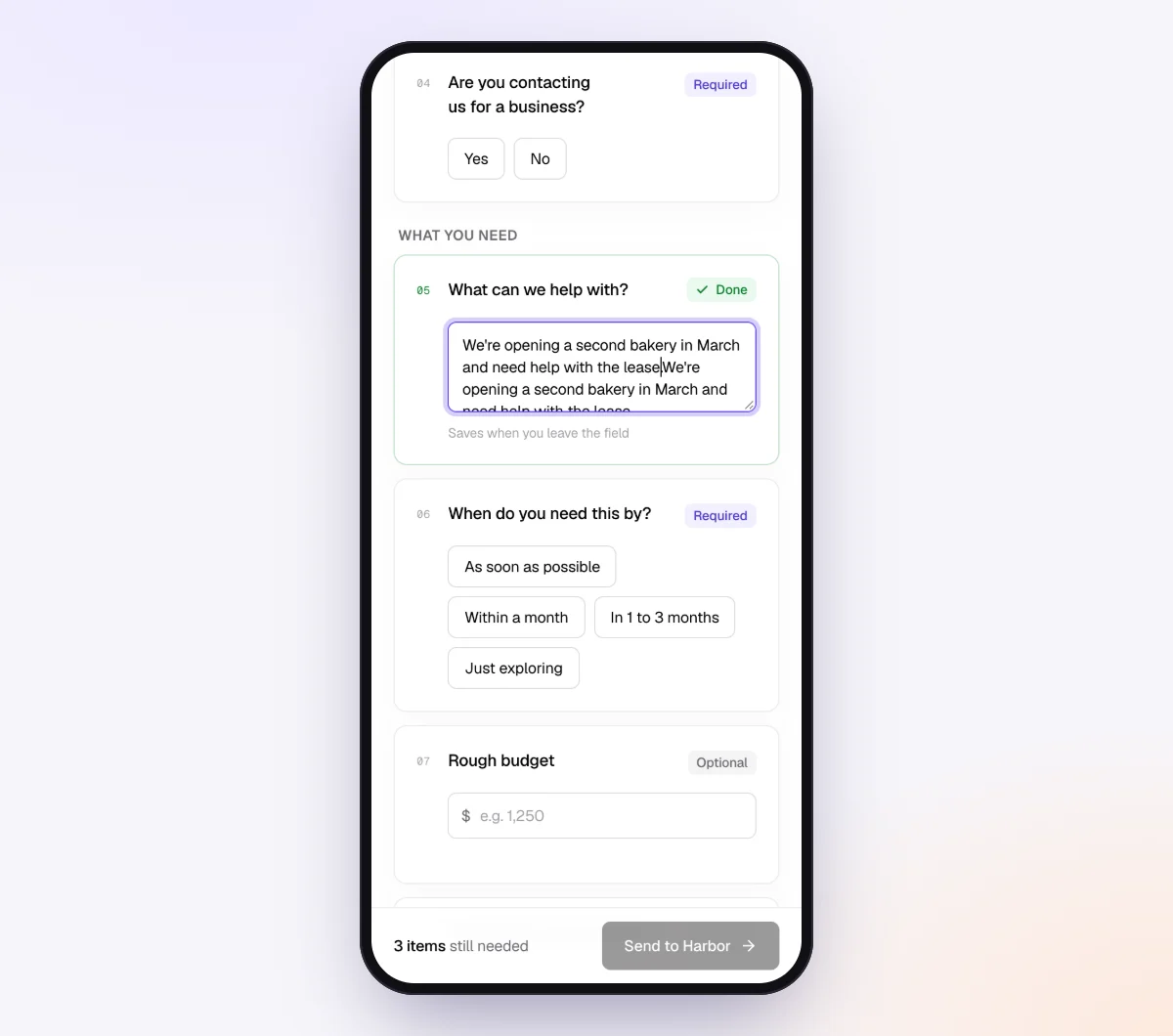
Add a "Form field" for the business purpose of the month's purchases, and a yes/no "Did you pay for anything yourself that you want reimbursed?" Then add a file item, "Receipts for out-of-pocket expenses," set to "Only ask if…" that answer is yes. Do the same for mileage if the business pays per distance, and for a lost receipt: a yes/no question, then a file item using "Form to fill in" with your missing receipt declaration as a fillable PDF and signed ticked.
4. Send one request per employee, or a monthly batch
For one employee, open "Requests," click "New request," choose the checklist, add a reference like "Riverside Plumbing, Dana R., October 2026," the employee's name and email and the needed-by date (the 5th).

For the whole team, open "Batches," choose "Send to many customers," pick the checklist and upload an Excel file or CSV, or paste rows from Excel or Google Sheets with each employee's name, email, reference, needed-by date and notes. Schedule the send for the 1st and turn on "Repeat every month" so every employee gets a new request on the same day each month, with the same gap to the needed-by date, until you stop it from the batch page. Batches are part of Pro, up to 100 people per sheet. See bulk requests.
5. Employees snap photos, the agent chases the rest
Each employee gets an invitation from your business name and opens their checklist on a phone, with no account and no app. Every upload is checked in seconds by document checks, so a dark photo or one that cuts off the total gets a friendly note while the receipt is still in hand. In the "AI autopilot" settings, turn on "Chase until it's all in" with "Paced to each request's deadline," and each reminder lists only what is still missing.
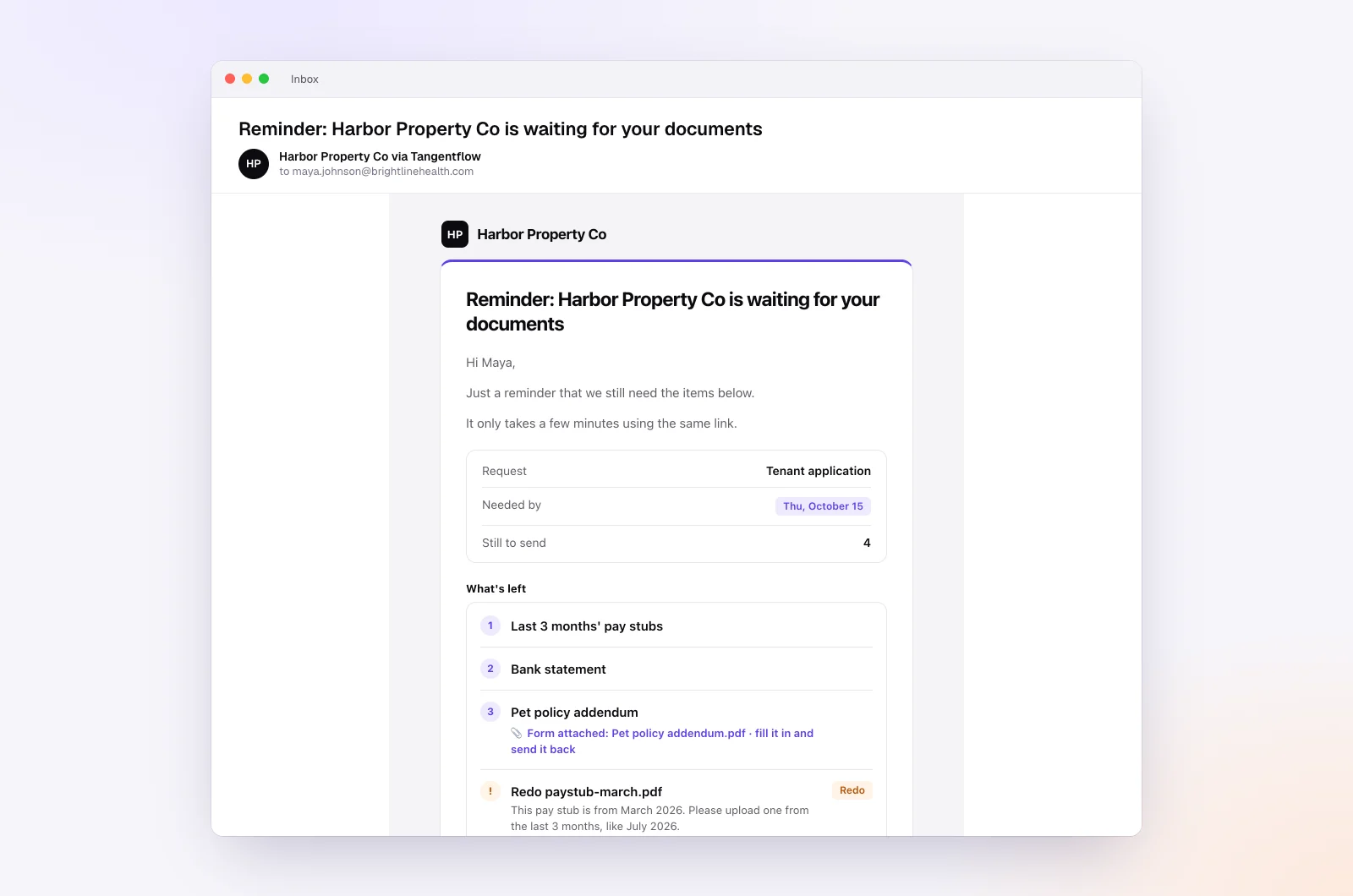
When the month is in, review each request page, use "Ask for changes" on any single file, download the ZIP and mark the request complete. Files are deleted 24 hours later.
Setups by type of business
Use one checklist per client and adjust the items for how their people spend. Send each client's employees as their own batch.
| Business | Who spends | Items worth adding | Settings worth turning on |
|---|---|---|---|
| Trades and home services | Field techs on company cards | Receipts, job or address per purchase, fuel receipts | Date rule, "Example" photo of a supply house invoice |
| Small agency or consultancy | Staff paying out of pocket | Out-of-pocket receipts, client to bill, meal attendees | "Only ask if" on reimbursement items |
| Sales team | Reps who travel and entertain | Hotel and airline e-receipts, meals with attendees, mileage log | "Only ask if" on mileage, private notes per rep |
| Property management office | Maintenance staff | Parts receipts, property or unit per purchase | Reference per property, date rule |
When something goes wrong
| Problem | Likely cause | Fix |
|---|---|---|
| Employee never opens the link | Email went to spam, or they rarely check work email | Ask them to check spam, or copy the link from the request and send it yourself |
| Card slip instead of the itemized receipt | They kept the wrong piece of paper | The check flags it; add a tip: "the long receipt, not the card slip" |
| Employee tries to upload a CSV or spreadsheet | Exported from a card portal | An export is not a receipt; ask for a PDF or a screenshot of the receipt itself |
| Meal receipt with no attendees | Nobody asked | Add a form field for attendees and purpose, required for meals |
| Same employee misses the cutoff every month | Priority, not friction | The owner talks to them; reimbursement waits for the receipt, per the policy |
| Link went to the wrong email address | Typo in the batch sheet | Use "Reset link" on the request; the old link stops working. Fix the address and resend |
For sensitive clients, turn on "Require an email code" on the checklist: the employee enters a 6-digit code emailed to them before the link opens, so a forwarded link is not enough. After an employee sends everything, the link no longer shows the files.
Free and Pro, honestly
You can run a real request without paying anything.
| Free | Pro ($29/month) | |
|---|---|---|
| Open requests | 1 at a time | Unlimited |
| AI check on each file | Yes | Yes |
| AI autopilot (answers, reminders, follow-ups) | Your first request | Every request |
| Send to many people at once (Batches), including "Repeat every month" | No | Yes |
| Employees reply by email with attachments | No | Yes |
| Branding | Tangentflow badge | Your logo |
| Delivery to Google Drive or a webhook | No | Yes |
| Works with AI assistants (MCP) | No | Yes |
| File retention | 7 days | 60 days |
Both plans include unlimited checklists, QR codes and posters, ZIP export, AI summaries and email delivery. Pro is billed monthly with no contract, and you can cancel any time. Full details on the pricing page. With one open request at a time, a team of several employees is really a Pro workflow.
What Tangentflow does not do: SMS or text messages, a native mobile app, full legal e-signature certificates, identity verification, collecting payments, or permanent storage. If you need any of those, pair it with a tool that does. It also does not issue cards, match receipts to card transactions, approve or pay reimbursements, or post to your bookkeeping software.
The whole process as a checklist
- Agree a one-page expense policy with the owner, checked by their advisor.
- Set a per-purchase window (7 days) and a monthly cutoff (the 5th).
- Decide reimbursement vs. allowance for each kind of expense, per IRS or CRA rules.
- Tell employees what a receipt must show, and that a clear phone photo is fine.
- Ask for the business purpose with every upload, and attendees for meals.
- Send each employee one private link on the 1st, or a repeating monthly batch.
- Remind on a schedule that lists only what is missing.
- Handle lost receipts in order: vendor duplicate, statement line, signed note.
- Send the owner one list of unsupported charges and open reimbursements.
- Close on time with gaps flagged, and pay reimbursements only on approved receipts.
Frequently asked questions
How do I collect expense receipts from employees?
Give employees a short written policy with a deadline, then send each one a private link every month that lists what you need and accepts phone photos. Remind on a schedule that names only what is still missing, and pay reimbursements only after the receipt is in. A fixed date, such as the 5th of the following month, does most of the work.
What is an accountable plan?
It is the IRS term for a reimbursement arrangement where expenses have a business connection, employees account for them with receipts within a reasonable period, and any excess is returned. Reimbursements that meet the rules generally are not wages; those under a nonaccountable plan are reported as wages on Form W-2. See Publication 463 and confirm the details with a tax advisor.
How long should employees have to submit receipts?
Many small businesses use 7 days from the purchase and a hard monthly cutoff, such as the 5th of the next month. That keeps receipts fresh and sits well inside the IRS fixed date safe harbor of 60 days to account for an expense. Check with the business's advisor if their situation is unusual.
Are employee expense reimbursements taxable in Canada?
The CRA says a reasonable reimbursement of the employer's business expenses, supported by receipts, is generally not included in the employee's income, while reimbursing personal expenses is a taxable benefit. Allowances paid without receipts are often taxable, with exceptions such as a reasonable per-kilometre vehicle allowance. Check the T4130 guide and a payroll advisor for specific cases.
What if an employee loses a receipt?
Ask them to get a duplicate from the vendor first, then collect the statement line and any order email. If neither works, have them sign a short missing receipt note with the date, vendor, amount and business purpose. It is supporting evidence, not a guarantee, so the owner's tax advisor decides how to treat it.
Should a small business use an expense app instead?
If many people spend, travel often, need manager approvals or want receipts matched to card charges automatically, yes. A dedicated expense or spend management app is built for that. For a few employees and one monthly ask, a private upload link with reminders is usually simpler and cheaper.
Can Tangentflow send the receipt request to every employee each month?
Yes, on Pro. In "Batches" you upload or paste the employee list, pick the checklist and schedule the send, up to 100 people per sheet. Turn on "Repeat every month" and each employee gets a new request on the same day every month until you stop it.