Guides
How to Collect Contractor Info for T4A and T5018 Slips (2026)
Canada has no W-9. How to collect a contractor's legal name, SIN or business number before the first payment for T4A and T5018 slips, without emailing SINs.
By Bibin MathewUpdated 19 min read
The short answer
Canada has no official W-9 equivalent, so you build your own contractor information form and collect it before the first payment. Ask every contractor for their legal name, business name, address, business structure and business number (BN), plus a SIN only from sole proprietors who have no BN, because T4A slips (box 048, fees for services over $500 in a year) and T5018 slips (construction subcontractors over $500) need one of those numbers. Collect it through a private upload link rather than email, keep a dated record of every request in case a contractor won't give a number, and file T4As by the last day of February and T5018s within six months of your reporting period's end.
The short answer: Canada has no W-9. There is no official CRA form for collecting a contractor's tax details, so you make your own contractor information form and get it back before the first payment. Ask for the contractor's legal name, business name, mailing address, business structure and business number (BN), and a Social Insurance Number (SIN) only from sole proprietors who don't have a BN. You need one of those numbers for T4A slips (fees for services over $500 in a year) and T5018 slips (construction subcontractors over $500). Collect it through a private link, not email, and keep a dated record of every request.
The rest of this guide covers what trips people up in February: which number to ask for, when the $500 rule applies, what changes in construction and what to do when a contractor refuses. It's for Canadian bookkeepers who prepare slips for clients, business owners who pay freelancers, general contractors with subtrades and trucking companies. If you pay US vendors, the W-9 side is covered in our guide to collecting W-9 forms from vendors.
Why contractor info is a February problem
Most payroll tools explain how to file a T4A. Few explain how to get the information to fill one out. So the pattern repeats:
- The contractor gets paid first and asked later. Once they have the money, your request drops down their list.
- Nobody knows which number to ask for. SIN, BN, GST/HST number. Contractors send whatever they have.
- SINs arrive by email and sit in inboxes and phones for years.
- Requests aren't recorded, so there's no dated trail to show CRA you tried.
- The bookkeeper finds out in January that the client paid six people and has details for two.
The fix: treat contractor info like a US W-9, a short form collected before the first invoice is paid.
Is there a Canadian equivalent of the W-9?
No. In the US, a vendor fills out and signs IRS Form W-9 so the payer has their name, classification and tax ID. The CRA has no equivalent form, and you don't send anything to CRA when you collect contractor details.
What you have is a reporting obligation. A T4A or T5018 slip asks for the recipient's name, address and either a SIN or a program account number (the 15-character BN-based account, such as 123456789RT0001). So the practical "Canadian W-9" is a contractor information form you write yourself, asking for exactly what those slips need, and nothing more.
| United States | Canada | |
|---|---|---|
| Official form to collect details | Form W-9 (IRS) | None. Use your own contractor information form |
| Identification number | SSN, ITIN or EIN | SIN (individuals) or business number / program account number |
| Slip for fees paid to contractors | Form 1099-NEC | T4A, box 048 (or T5018 in construction) |
| Reporting threshold | $2,000 for payments made in 2026 | More than $500 in the year, under CRA administrative policy |
| Recipient deadline | January 31 | Last day of February (T4A); 6 months after period end (T5018) |
| If the number is missing | Backup withholding (24%) | Show a reasonable effort to get it; file without it |
The T4A $500 fees-for-services rule
CRA's guidance on payments of fees for services says that if you pay a fee to someone to provide a service outside of employment, you generally need to fill out a T4A slip. That includes payments between businesses, to sole proprietors and to corporations. You report the amount in box 048, Fees for services, without the GST/HST or PST.
When it applies: under the CRA administrative policy, a T4A slip must be issued when the total of all fees for services paid to that recipient in the calendar year is more than $500, or when you deducted tax from the payment. Some CRA pages phrase it as "at least $500," so if a contractor lands right at $500, check with your accountant.
What's not included:
- Employees. They get a T4.
- Goods only, like supplies. On mixed parts-and-labor invoices, report the service portion.
- Construction subcontractors when construction is more than half of your business income. They get a T5018 (next section).
- Non-residents providing services in Canada. They get a T4A-NR, and CRA says to withhold 15% income tax.
CRA's own examples include a bookkeeping service, cleaning and maintenance, IT support, consultants, landscaping and snow removal, lawyers and translators.
The penalty question, and the trucking change
CRA guide RC4157 says the CRA is currently not assessing penalties for failures relating to box 048, unless the new administrative policy applies. That policy covers trucking: for 2025 and later calendar years, businesses in the trucking industry will be assessed penalties for failing to report fees for services over $500 in a year paid to a Canadian-controlled private corporation in the trucking industry.
"No penalties for box 048" is an administrative choice, not a change to the requirement to report, and it has already ended for trucking. If your client pays incorporated owner-operators, collecting each corporation's details is now urgent.
The T4A deadline: last day of February
T4A slips and the T4A Summary are due on or before the last day of February after the year of payment, and recipients must get their copies by the same date. For 2026 payments that's February 28, 2027, a Sunday; CRA treats a return received the next business day as on time, but don't plan around that.
If you file more than 5 slips of one type, you must file electronically. RC4157 lists a $100 set penalty for 1 to 5 T4A slips filed late, rising with the number of slips, and a separate penalty for not giving recipients their slips on time.
T5018: what changes for construction
The T5018, Statement of contract payments, is CRA's construction slip. It replaces the T4A for construction subcontractor payments.
Who must file: an individual, partnership, trust or corporation must issue T5018 slips (or provide a listing) when all of these apply:
- Its primary source of business income is more than 50% from construction activities.
- It made payments to Canadian resident subcontractors for construction services, performed inside or outside Canada.
- The total paid to a subcontractor was more than $500 in the period, not counting GST/HST.
Construction activities include drywall, electrical, plumbing, roofing, painting, concrete, excavation, HVAC, flooring, framing and demolition, among others. A business that has construction done for it but isn't mainly in construction doesn't report under this system.
What's different from a T4A:
| T4A box 048 | T5018 box 22 | |
|---|---|---|
| Who files | Any business paying fees for services | Businesses with more than 50% of income from construction |
| GST/HST in the amount | Excluded | Included (the $500 test excludes it) |
| Reporting period | Calendar year | Calendar year or fiscal period, your choice |
| Due date | Last day of February | 6 months after the end of the reporting period |
| Recipient number | SIN (box 012) or program account number (box 013) | Program account number or SIN (box 24) |
Reporting period options: you choose whether to report on a calendar-year basis or by your fiscal period. The return is due 6 months after the end of the period you chose. A calendar-year contractor reporting 2026 payments files by June 30, 2027. A contractor with a March 31 fiscal year end files by September 30.
You report only the subs you deal with directly. On a joint cheque to a sub and its subtrade, CRA's example has the general contractor report the full amount to the sub it hired.
T5018 subcontractor information to collect
For each subcontractor, the slip needs:
- Business name and address of the business or person you paid.
- Program account number or SIN for box 24. For a GST/HST-registered sub, that's typically the 15-character account ending in RT and four digits.
- Total paid in the period, including GST/HST and PST where applicable.
CRA's T5018 page points to its online tool for confirming a GST/HST account number, which catches typos before they reach a slip.
SIN vs business number: which to ask for
Most contractor forms ask everyone for a SIN. That over-collects from corporations and makes careful contractors suspicious.
| Contractor is a… | Ask for | Why |
|---|---|---|
| Corporation | Business number / program account number | RC4157: box 012 (SIN) is not used for a corporation. A program account number may be given but is not required to complete the T4A |
| Partnership | Business number / program account number | Same rule as corporations |
| Sole proprietor with a BN (for example, GST/HST registered) | Program account number, such as the GST/HST account | RC4157 accepts a valid program account number as an alternative for sole proprietors. If box 013 is filled in, box 012 is not required |
| Sole proprietor without a BN | SIN | It's the only number the slip can use |
| Construction subcontractor (T5018) | Program account number, or SIN if they don't have one | Box 24 takes either |
Prefer the BN whenever one exists. It identifies the business, not the person, so losing one carries far less risk. Service Canada's guidance on protecting your SIN says private businesses can't require a SIN for purposes other than income reporting, and encourages people to ask why it's needed before sharing it.
GST/HST number vs business number. A GST/HST account number is a program account built on the BN: nine digits, then RT, then four digits. Your client also needs it on invoices to claim input tax credits.
What to put on your contractor information form
Turn this field list into a one-page fillable PDF. It works with any tool, or on paper.
| Field | Why you need it | Tip |
|---|---|---|
| Legal name | Name on the slip | For a sole proprietor, the person's name, not only the trade name |
| Business structure | Decides SIN vs BN | Sole proprietor, partnership or corporation |
| Business number / program account number | Box 013 (T4A) or box 24 (T5018) | Ask for the full 15 characters, such as 123456789RT0001 |
| GST/HST registration number | ITCs and slip number | "Not registered" is a valid answer for small suppliers |
| QST number (Quebec only) | Quebec sales tax on invoices | Separate from GST/HST |
| SIN | Box 012, only if no BN | Sole proprietors without a BN only |
| Mailing address | Where the slip goes | Not a job site address |
| Canadian resident? | T4A vs T4A-NR | Non-residents need a different slip and withholding |
| Type of work | T4A vs T5018 | Construction trades vs other services |
| Signature and date | Confirms the details are accurate | A simple certification line is enough |
Keep it to one page, and ask for the other onboarding items in the same request: a certificate of insurance, a WSIB or WCB clearance where your province requires it, and a signed agreement. Our guide to collecting certificates of insurance covers the COI side.
When a contractor won't give you a SIN
RC4157 says that if an individual doesn't give you their SIN, you must be able to show that you made a reasonable effort to get it. CRA's example: if you ask by mail, record the date of your request and keep a copy of the correspondence. If you don't try to get a SIN, you may be charged a penalty of $100 for each failure. If you still can't get it, you file the T4A on time without the SIN (CRA's instructions say to enter nine zeros in box 012).
The Income Tax Act also has a separate $100 penalty for a person who fails to provide their SIN when required, worth mentioning politely to a contractor who ignores you.
A reasonable-effort routine looks like this:
- Ask at onboarding, in writing, with the reason.
- Ask again before the first payment, and note the date.
- Offer the BN alternative. Many "refusals" are sole proprietors who'd happily give a GST/HST number.
- Ask a final time in January, in writing, and save it.
- File on time anyway, without the SIN, and keep the trail with your slip records.
How to collect contractor details: the options compared
| Method | Contractor effort | Security for SINs | Shows who's missing | Record of requests |
|---|---|---|---|---|
| Email ("send me your SIN") | Low | Weak: copies in every inbox and phone | No | Scattered across threads |
| Phone call, written down | Low | Medium, but notes travel | No | Only if you log it |
| Paper form on the job site | Medium | Medium, until it's scanned and emailed | No | Paper file |
| Payables or accounting software vendor portal | Varies, often an account | Usually good | Inside that tool | Usually |
| Private upload link with a checklist (Tangentflow) | Low, no account | Private link, auto-deletion, AI check can be off | Yes | Activity timeline per request |
Email is the default and the worst place for a SIN: copies multiply, they stay forever, and "please send your SIN" is what a scam email looks like. More in our guide to secure ways to receive sensitive documents.
Contractor info request email template
Short, specific, and pointing to one secure place. For more wording, see our document request email templates.
Subject: Your contractor details for [Business name], needed before your first payment

Hi [First name],

Before we pay your first invoice, we need a few details for
the T4A (or T5018) slip CRA requires for contractors we pay
more than $500 in a year. Please fill in and sign our one-page
form here (works on your phone, no account needed):

[private link]

- If you're incorporated or registered for GST/HST, give us your
  business number. We don't need your SIN.
- If you're a sole proprietor without a business number, we need
  your SIN for the slip.

Please don't email your SIN. We need this by [date] so your
payment isn't delayed. We'll never ask for it by text or email.

Thanks,
[Your name]
[Business name]
Reminder timing. Tie reminders to the first payment, not to February. If the invoice is due in ten days, remind on day 3 and day 7, then call the day before payment. More patterns in our client reminder schedule.
How to collect contractor info in Tangentflow, step by step
Tangentflow sends each contractor a private link with a checklist, and an AI collection agent sends the invitation, answers questions and chases what's missing.
1. Start from the Subcontractor paperwork template
Go to Checklists, choose "Browse templates" and pick "Subcontractor paperwork." It comes with "Certificate of insurance," "Workers' comp / employer's liability," "Tax form," "Trade license or certification" (optional), "Signed agreement" (optional) and "Company and site contact." Remove what you don't need; a freelancer outside construction may only need the tax form and agreement.

2. Turn the tax form item into your contractor information form
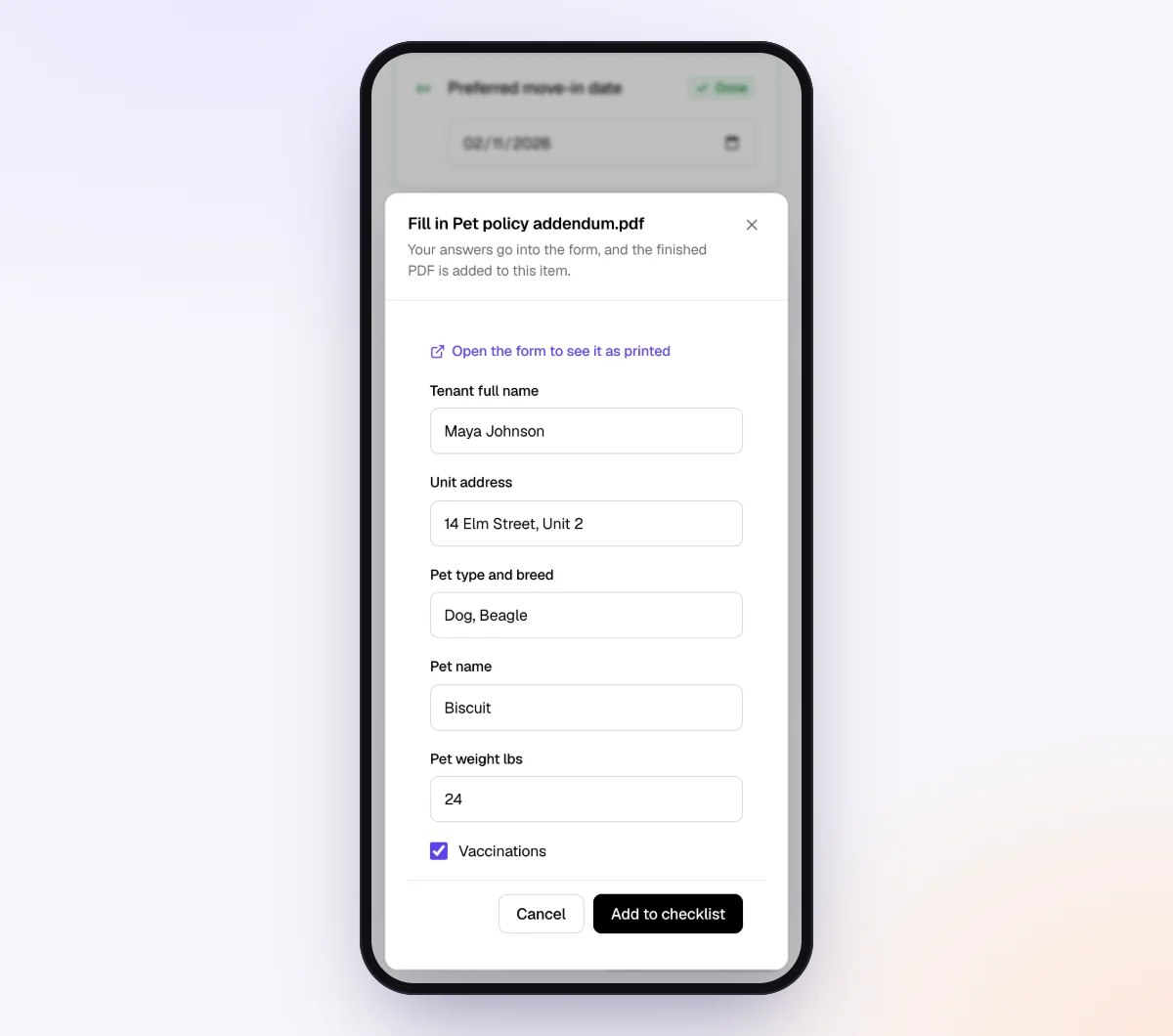
Open the "Tax form" item, rename it "Contractor information form" and in "What should it be?" write "our contractor information form, completed, signed and dated." Attach your fillable PDF. The contractor fills it in and signs on their phone with a drawn signature. See forms and e-signatures for how attached forms work.
3. Keep the SIN away from the AI, and lock the link
- Switch the AI check off for the contractor form item. That file is then never sent to the AI provider. It's stored and marked "Received," so you check the signature yourself. Leave the check on for the insurance certificate, where "not expired" is useful.
- Keep the SIN on the form, not in a typed answer field.
- Turn on "Require an email code." Before the link opens, the contractor enters a 6-digit code emailed to them, so a forwarded link isn't enough on its own.
4. Ask the questions that decide what's needed
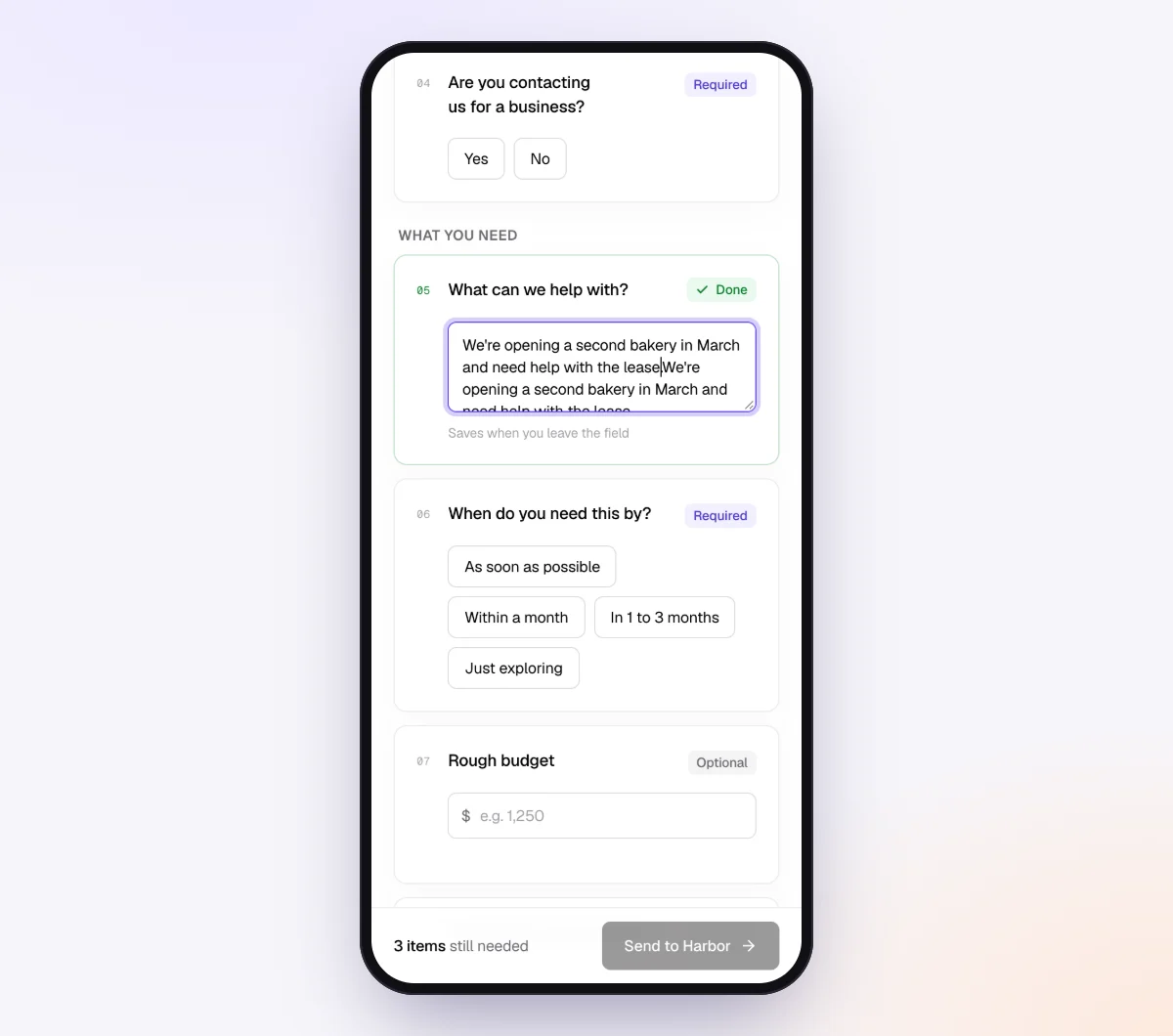
Add form fields to the checklist: a single choice "How is your business set up?" (sole proprietor, partnership, corporation), a yes/no "Are you registered for GST/HST?" and a yes/no "Is this construction work?" Use "Only ask if…" to show an item only when an earlier answer matches, for example a "Workers' comp clearance" item only for construction work.
5. Create the request before the first payment
Go to Requests and click "New request." Choose the checklist, add a reference such as "Northline Tile, new subcontractor," the contractor's name and email, and a needed-by date a few days before the first invoice is due. Leave "Email the link" on and the agent sends the invitation from your business name.

6. Review, record and deliver
The request page shows every file, what's missing and an activity timeline, which doubles as a dated record of when you asked and when reminders went out. Use "Ask for changes" if the form comes back unsigned or incomplete.
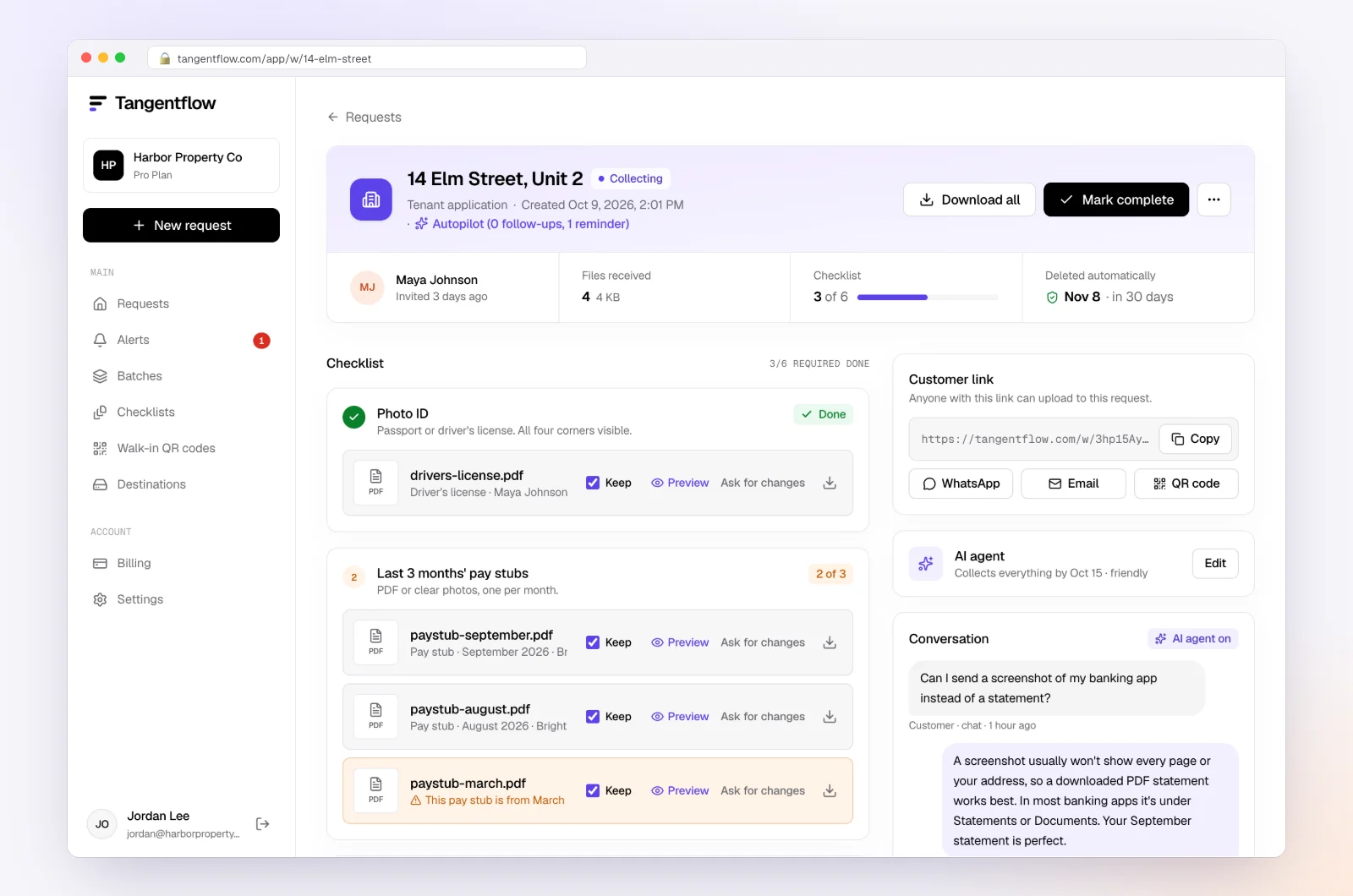
Download the ZIP package, or on Pro deliver to Google Drive or a webhook, and enter the details in your payroll or accounting software. Mark the request complete and the files are deleted 24 hours later. After the contractor sends everything, their link no longer shows the files.
The agent paces reminders to the needed-by date, at most one automatic email a day, each listing only what's missing. It answers questions like "I'm incorporated, do you still need my SIN?" from your checklist and private notes, and hands off to you on anything outside them.
For bookkeepers. Add a yes/no "Did you pay any new contractors this month?" to the "Monthly bookkeeping" template so new names surface monthly, not in January (see our monthly bookkeeping checklist). "Batches" with "Repeat every month" sends it on the same day each month. In the fall, use "Send to many customers" with a spreadsheet of contractors still missing details. See bulk requests and our page for bookkeepers.
Setups by business
| Business | What to collect | Settings worth turning on | Learn more |
|---|---|---|---|
| Bookkeepers preparing client slips | Contractor form for each client's new contractors | Monthly "new contractors?" question, fall batch | For bookkeepers |
| General contractors and renovators | Contractor form, COI, WSIB/WCB clearance, subcontract | Subcontractor paperwork template, "Is this construction work?" | Home services |
| Trucking companies | Corporation's BN, legal name, address, agreement | Email code, AI check off for the form | Accounting and tax |
| Small businesses hiring freelancers | Contractor form, signed agreement | Attach both forms to sign online | Forms and e-signatures |
| Property managers paying service vendors | Contractor form, COI | "Not expired" on the COI | Property management |
When something goes wrong
| Problem | Likely cause | Fix |
|---|---|---|
| Contractor refuses to give a SIN | Privacy concern, or thinks it's a scam | Explain the T4A reason, offer the BN route, keep a dated record of each request |
| Corporation sent the owner's SIN | Form asked everyone for a SIN | Ask for the BN instead and delete the SIN copy |
| Only 9 digits given | Contractor gave the root BN | Ask for the full program account, such as RT0001 |
| GST/HST number doesn't check out | Typo, or not registered | Confirm with CRA's GST/HST registry and ask the contractor |
| Already paid, no details | Paid before onboarding | Request now, tie it to the next payment, log dates |
| Link went to the wrong person | Typo in the email address | Reset the contractor's link from the request so the old one stops working |
| Not sure if it's T4A or T5018 | Mixed business | Check whether construction is more than 50% of income; ask your accountant |
Free and Pro, honestly
| Free | Pro ($29/month) | |
|---|---|---|
| Open requests | 1 at a time | Unlimited |
| AI check on each file | Yes | Yes |
| AI autopilot (answers, reminders, follow-ups) | Your first request | Every request |
| Contractors reply by email with attachments | No | Yes |
| Branding | Tangentflow badge | Your logo |
| Delivery to Google Drive or a webhook | No | Yes |
| Works with AI assistants (MCP) | No | Yes |
| File retention | 7 days | 60 days |
Both plans include unlimited checklists, QR codes and posters, ZIP export, AI summaries and email delivery. Pro is billed monthly with no contract, and you can cancel any time. A fall batch to many contractors is really a Pro workflow. Full details on the pricing page, and how files are protected on our security page.
What Tangentflow does not do: SMS or text messages, a native mobile app, full legal e-signature certificates, identity verification, collecting payments, or permanent storage. If you need any of those, pair it with a tool that does. It also doesn't file T4A or T5018 slips or check numbers with CRA.
The whole process as a checklist
- Write a one-page contractor information form. There's no CRA form to use.
- Ask for the business structure first, then the BN, and a SIN only from sole proprietors without one.
- Collect it before the first payment, through a private link, never by email.
- Record the date of every request and reminder.
- Confirm GST/HST numbers with CRA's registry.
- Track totals per contractor and flag anyone over $500.
- Decide T4A or T5018 by whether construction is more than half of the business's income.
- File T4As by the last day of February and T5018s within 6 months of your period end.
- If a SIN never comes, file on time without it, keep your trail and delete every extra copy.
Frequently asked questions
Is there a Canadian equivalent of the W-9?
No. The CRA has no official form for collecting a contractor's tax details. Businesses create their own contractor information form asking for the legal name, address, business structure, business number and, only for sole proprietors without a BN, a SIN.
When do I need to issue a T4A for fees for services?
Under CRA's administrative policy, when fees for services paid to one recipient in a calendar year total more than $500, or when you deducted tax. Report it in box 048 without GST/HST or PST. CRA isn't assessing box 048 penalties except in trucking from 2025, but the requirement stands.
Do I need a contractor's SIN or business number?
Use the business number whenever the contractor has one. Corporations and partnerships don't use the SIN box, and sole proprietors can give a program account number, such as a GST/HST account, instead. Ask for a SIN only from sole proprietors without a BN.
What if a contractor refuses to give me their SIN?
CRA expects you to show a reasonable effort to get it, such as dated written requests with copies kept. If you don't try, you can face a $100 penalty for each failure. If you still can't get it, file the T4A on time without the SIN.
When is the T4A deadline?
T4A slips and the summary are due on or before the last day of February after the calendar year of payment, and recipients must get their copies by the same date. If you file more than 5 slips, you must file electronically.
Who has to file T5018 slips, and when are they due?
Businesses whose primary source of income is more than 50% from construction, for payments over $500 (excluding GST/HST) to Canadian resident construction subcontractors. You choose a calendar-year or fiscal-period basis, and the return is due 6 months after the end of that period.
Can Tangentflow verify a contractor's SIN or business number?
No. It doesn't verify SINs, business numbers or GST/HST registrations, and you can switch the AI check off for the contractor form so that file never goes to the AI. Use CRA's GST/HST registry for GST/HST numbers.