Templates
How to Ask Clients About Uncategorized Transactions (2026)
How to ask clients about uncategorized transactions: one batched monthly list, specific multiple-choice questions, 8 copy-paste templates and threshold rules.
By Bibin MathewUpdated 19 min read
The short answer
Categorize everything you can first, then send each client one batched list per month with a needed-by date. For every transaction, give the date, payee as it appears on the statement, amount, your best guess and two to four answer choices, so the client can reply in seconds. Agree on a threshold below which you use your best guess without asking, set a default for unanswered items, and turn every repeat answer into a bank rule so next month's list is shorter.
Every bookkeeper has the same pile: dozens of lines sitting in Uncategorized Expense, an Ask My Accountant account or a suspense account, waiting on the one person who knows what they are: the client. "AMZN MKTP US $412.18." "VENMO *JSMITH $600.00." "ATM WITHDRAWAL $300.00." You can't close the month without answers, and the client can't answer a question they never really read.
This guide is for independent bookkeepers and small accounting firms in the US and Canada. It covers why the pile grows, how to batch and write questions clients actually answer, the exact question and choices for common transaction types, eight copy-paste templates, threshold policies, and how to record answers so you never ask twice.
The last part shows how to do it in Tangentflow with an AI collection agent chasing; everything before works with plain email.
Why the uncategorized pile builds up
The bank feed tells you who got paid and how much. It rarely tells you what for. A few patterns create most of the pile:
- Marketplaces hide what was bought. An Amazon or Costco charge could be supplies, inventory or groceries.
- Payment apps hide who was paid. Venmo, PayPal, Zelle and Interac e-Transfer lines often show only a first name or handle.
- Cash leaves no trail. An ATM withdrawal could be petty cash, a contractor or personal spending.
- Money moves between accounts. Transfers look like income or expenses until both sides are matched.
- Owners mix business and personal. Personal charges on the business card, and owner money going in and out.
- Questions go out one at a time, and nobody records the answers, so the same ones come back.
QuickBooks Online creates Uncategorized Expense and Uncategorized Income accounts for downloaded transactions it can't categorize. Many bookkeepers add their own holding account, often Ask My Accountant or Suspense, to park unclear items deliberately. Either way, it should be close to empty at every month-end.
What leaving it costs
| If you leave it | What happens |
|---|---|
| Expenses sit in a holding account | The profit and loss report misstates real categories, and the client decides on wrong numbers |
| Personal spending is booked as business | Profit is wrong, and so may be the tax return built on it |
| Owner contributions are booked as sales | Revenue looks higher than it is, and sales tax or GST/HST reporting can be affected |
| You categorize by guessing | You own the error, and you can't defend it later |
The biggest cost is time. A question asked a week after month-end takes ten seconds to answer. Asked next March, it can take an afternoon, if it gets answered at all.
How to batch your questions
The single biggest improvement is to stop asking one transaction at a time. Send each client one list, once a month, with a date.
1. Categorize everything you can first. Use bank rules, vendor history, last month's answers and receipts on file. Only what is genuinely unclear goes on the list.
2. Send on a fixed day, such as five or six days after the monthly document request, once statements are in. Our monthly bookkeeping checklist has a full close calendar.
3. Put everything on one list, in date order. For each transaction include the date, the payee as shown on the statement (they recognize "SQ *BLUE BOTTLE" faster than your cleaned-up version), the amount, the account ("Business Visa ending 4421"), your best guess, answer choices, and whether a receipt is needed.
4. Give it a needed-by date and a default. Tell the client what happens to anything left unanswered: "If we don't hear back by Friday, we'll book items under $50 to our best guess and leave the rest in Ask My Accountant on your report." A default turns silence into a decision.
5. Remind once or twice, listing only what's left. Our guide to client reminder schedules has timing patterns.
Rules for writing questions clients answer
- Lead with the facts. Date, amount, payee and account before any question.
- Offer your best guess. "We think this is office supplies. Right?" Most clients just confirm.
- Give answer choices. Two to four options, plus "Something else" and "Not sure." Multiple choice gets answered on a phone; open questions get saved for later.
- Ask one thing per question. Make the receipt a separate ask that depends on the answer.
- Use their words, not account names. "Business or personal?" beats "Shareholder Loan or Office Expense?"
- Say why for sensitive ones, and make "Not sure" safe. Clients who fear a wrong answer give none.
- Never ask for passwords or banking logins. Use the bank's accountant access or your software's bank feed.
| Weak question | Better question |
|---|---|
| "What's this $600?" | "Sep 11, $600 Venmo to J Smith from Business Checking 2210. Contractor, reimbursement or personal? Not sure is fine." |
| "Please explain the Amazon charges." | "Sep 4, $412.18 Amazon on Visa 4421. Our guess: office supplies. Correct, inventory, personal, or something else?" |
Common transaction types: the question and the choices to send
Adjust the choices to the business, but keep the shape: facts, guess, choices.
| Transaction type | How it looks on the statement | Question to send | Answer choices |
|---|---|---|---|
| Amazon or marketplace purchase | AMZN MKTP US, AMAZON.CA | "[Date], [amount] Amazon on [account]. What was it for?" | Office supplies, Inventory or materials, Equipment, Personal, Something else |
| Venmo, PayPal or Zelle payment out | VENMO *NAME, PAYPAL *NAME, ZELLE TO NAME | "[Date], [amount] to [name] via [app]. What was this payment?" | Contractor, Supplier, Employee reimbursement, Personal, Something else |
| Interac e-Transfer (Canada) | E-TRANSFER SENT [NAME] | "[Date], [amount] e-Transfer to [name]. What was this?" | Contractor, Supplier, Employee reimbursement, Personal, Something else |
| Cash withdrawal | ATM WITHDRAWAL, CASH WD | "[Date], [amount] cash. What did the cash pay for?" | Petty cash, Paid a contractor or supplier, Personal, Mixed (please explain) |
| Transfer between accounts | TRANSFER TO 2210 | "[Date], [amount] moved to account ending [digits]. Whose account is that?" | Another business account, Business card payment, My personal account, Loan account, Not sure |
| Owner contribution | DEPOSIT, MOBILE DEPOSIT | "[Date], [amount] deposit. Where did this money come from?" | Customer payment, Your own money put in, Loan, Refund, Something else |
| Owner draw or personal spending | Transfer to a personal account, a personal-looking charge | "[Date], [amount] [payee]. Business or personal?" | Business, Personal, Partly both (please explain) |
| Refund or credit | CREDIT, RETURN, REFUND | "[Date], [amount] credit from [payee]. What was refunded?" | Return of something we bought, Refund we issued, Billing correction, Not sure |
| Loan payment | LOAN PMT, lender name | "[Date], [amount] to [lender]. Which loan, and can you upload the statement?" | Business loan, Vehicle or equipment loan, Line of credit, Personal loan, Not sure |
| Foreign charge | Foreign currency, plus a foreign transaction fee line | "[Date], [amount] to [payee] in [currency]. What was this?" | Software, Supplier, Travel, Personal, Something else |
| Subscription | APPLE.COM/BILL, GOOGLE *, a software name | "[Date], [amount] [payee]. Which subscription, and is it for the business?" | Business software, Business but cancel it, Personal, Not sure |
Owner money is treated differently depending on how the business is structured; in a corporation it often runs through a shareholder loan account rather than a draw. Your question only establishes the facts. For loans, ask for the statement once to split principal and interest, and check for the other side of a transfer before asking about it.
Threshold policies: when not to ask
You don't need an answer for every coffee. Agree on a few policies with each client, write them into your engagement letter, and apply them every month.
| Policy | How it works | Good for |
|---|---|---|
| Skip-under threshold | Below an amount you choose (say $25 or $50), book to your best guess without asking | Clients with many small, repetitive charges |
| Best guess with notice | Book to your best guess and list it on the report as "booked as office supplies unless you tell us otherwise" | Busy clients who rarely answer |
| Always ask above | Above a higher amount (say $500), always ask and request a receipt | Every client; protects you on large items |
| Always ask by type | Always ask about cash, owner transfers and unexplained deposits, whatever the amount | Items with real tax consequences |
| Park and report | Unanswered items stay in Ask My Accountant and are listed on the monthly report | Closing on time without guessing |
A threshold is a bookkeeping shortcut, not a tax rule. The IRS still expects records that support expenses (What kind of records should I keep), and the CRA has its own record-keeping rules.
Copy-paste templates
Keep subject lines the same every month. More wording in our document request email templates.
1. The monthly transaction questions email
Subject: [Month] books: [number] quick questions by [day, date]

Hi [First name],

We've categorized everything we could for [Month]. These [number] transactions need a quick answer. Most just need one word.

1. [Date], [amount], [payee as on statement], [account]
   Our guess: [guess]. Correct? Or: [choice A] / [choice B] / Personal / Not sure
2. [Date], [amount], [payee], [account]
   What was this? [choice A] / [choice B] / [choice C] / Not sure
3. [Date], [amount], [payee], [account]
   Business or personal? If business, please upload the receipt.

You can reply with just numbers and answers, like "1 correct, 2 B, 3 personal."

If we don't hear back by [day, date], we'll [your default].

Thanks,
[Your name]
[Firm name]
2. Text message
Hi [First name], it's [Your name] from [Firm]. Quick one for your [Month] books: [amount] to [payee] on [date]. Supplies, inventory or personal? One word is fine. Thanks!
Only text transaction details if the client has agreed to it, and never include full account numbers.
3. Best-guess confirmation
Subject: [Month] books: please confirm our best guesses

Hi [First name],

We've booked these to our best guess. Only reply if any are wrong:

- [Date], [amount], [payee]: booked as [category]
- [Date], [amount], [payee]: booked as [category]

If we don't hear from you by [day, date], we'll keep them as they are.

Thanks,
[Your name]
4. First follow-up
Subject: Reminder: [Month] books, [number] questions left

Hi [First name],

Thanks for the answers so far. These are still open:

2. [Date], [amount], [payee]: [question]
5. [Date], [amount], [payee]: [question]

A one-word reply each is plenty. We need them by [day, date] to finish your reports.

Thanks,
[Your name]
5. Final follow-up with the default
Subject: [Month] books close tomorrow: [number] items open

Hi [First name],

We're closing [Month] tomorrow. These are still unanswered:

- [Date], [amount], [payee]
- [Date], [amount], [payee]

If we don't hear back, we'll leave them in "Ask My Accountant" and list them on your monthly report. You can answer any time and we'll update the books.

Thanks,
[Your name]
6. Receipt needed
Subject: Receipt needed: [payee], [amount]

Hi [First name],

Thanks for confirming [date], [amount] at [payee] was for the business. Please upload the receipt or invoice:

[link]

A clear photo is fine if the date, vendor, total and items are readable.

Thanks,
[Your name]
7. Owner money question
Subject: Quick question about money in and out of [Business name]

Hi [First name],

Two items in [Month] might involve your personal money, which is recorded differently:

- [Date], [amount] transfer to account ending [digits]. Your personal account, or another business account?
- [Date], [amount] deposit from [source]. Customer payment, or your own money put into the business?

There's no wrong answer, and "not sure" is fine.

Thanks,
[Your name]
8. Proposing a rule
Subject: Can we stop asking you about [payee]?

Hi [First name],

You've told us [payee] is [category] for the last [number] months. Unless you'd rather we keep asking, we'll set up a rule to categorize it automatically from now on. If it ever changes, just let us know.

Thanks,
[Your name]
Recording answers so you never ask twice
If the same payee will appear again, record the answer.
- Bank rules in your ledger software. QuickBooks Online and Xero both have bank rules that categorize matching transactions automatically. In QuickBooks Online you set conditions on the description, bank text or amount, then choose the category and payee; see Intuit's page on setting up bank rules. For Xero, see Create a bank rule. Start with consistent payees like rent and software.
- A client notes file for answers that aren't rules: "J Smith on Venmo is the cleaner" or "ask about any Costco charge over $200."
- A quarterly rules review, since fixed-amount rules stop matching when prices change.
Five ways to send transaction questions, compared
| Method | Setup effort | Client effort | Shows what's still open | Reminders | Receipts in the same place |
|---|---|---|---|---|---|
| Email with a numbered list | None | Low, but answers get lost in threads | No | Manual | No |
| Shared spreadsheet | Low | Medium; many clients won't open it | Yes, if filled in | Manual | No |
| Client questions in practice or ledger software | Medium | Often needs a login | Yes | Some | Sometimes |
| Phone call | None | Low on the call, high to schedule | Only in your notes | Manual | No |
| Request link with question items and an AI agent (Tangentflow) | Low | Low (phone, no account) | Yes | Paced to the date | Yes |
Email is fine for one or two items. If your clients already use a question feature in your ledger or practice software, use it. A request link fits when you want questions and receipts in one place, with someone else reminding.
Transaction questions in Tangentflow, step by step
To be clear: Tangentflow doesn't connect to your ledger or bank feed, pull transactions or categorize anything. You build the list in your bookkeeping software as usual. Tangentflow puts the questions in front of the client alongside their monthly documents, and chases the answers.
1. Start a client checklist from the "Monthly bookkeeping" template
Open "Checklists," choose "Browse templates" and pick "Monthly bookkeeping." It comes with "Bank statements for the month," "Credit card statements," "Receipts and bills you paid," "Sales or invoices you issued," "Payroll report" and the question "Anything unusual this month?" Name it after the client, such as "Acme Bakery: monthly close."

2. Add a question item for each transaction
Add a "Form field" for each transaction, and use "Section heading" on the first one, such as "Questions about your September transactions." For each item:
- Label: the facts, such as "Sep 4, $412.18, AMZN MKTP US, Visa 4421: what was this?"
- "Answer type": "Pick from a list" for most. Under "Choices," separate options with commas: "Office supplies, Inventory, Personal, Something else, Not sure." Use "Yes / No" for business-or-personal and "Longer text" where an explanation is needed.
- "Tip for the customer": your best guess, such as "We think this is office supplies."
Then add follow-ups. For a receipt, add a file item like "Receipt for the Sep 4 Amazon order" and set "Only ask if" to the "Office supplies" or "Inventory" answer, so the receipt is only requested for business purchases. For "Something else," add a "Short text" question that appears only for that answer.
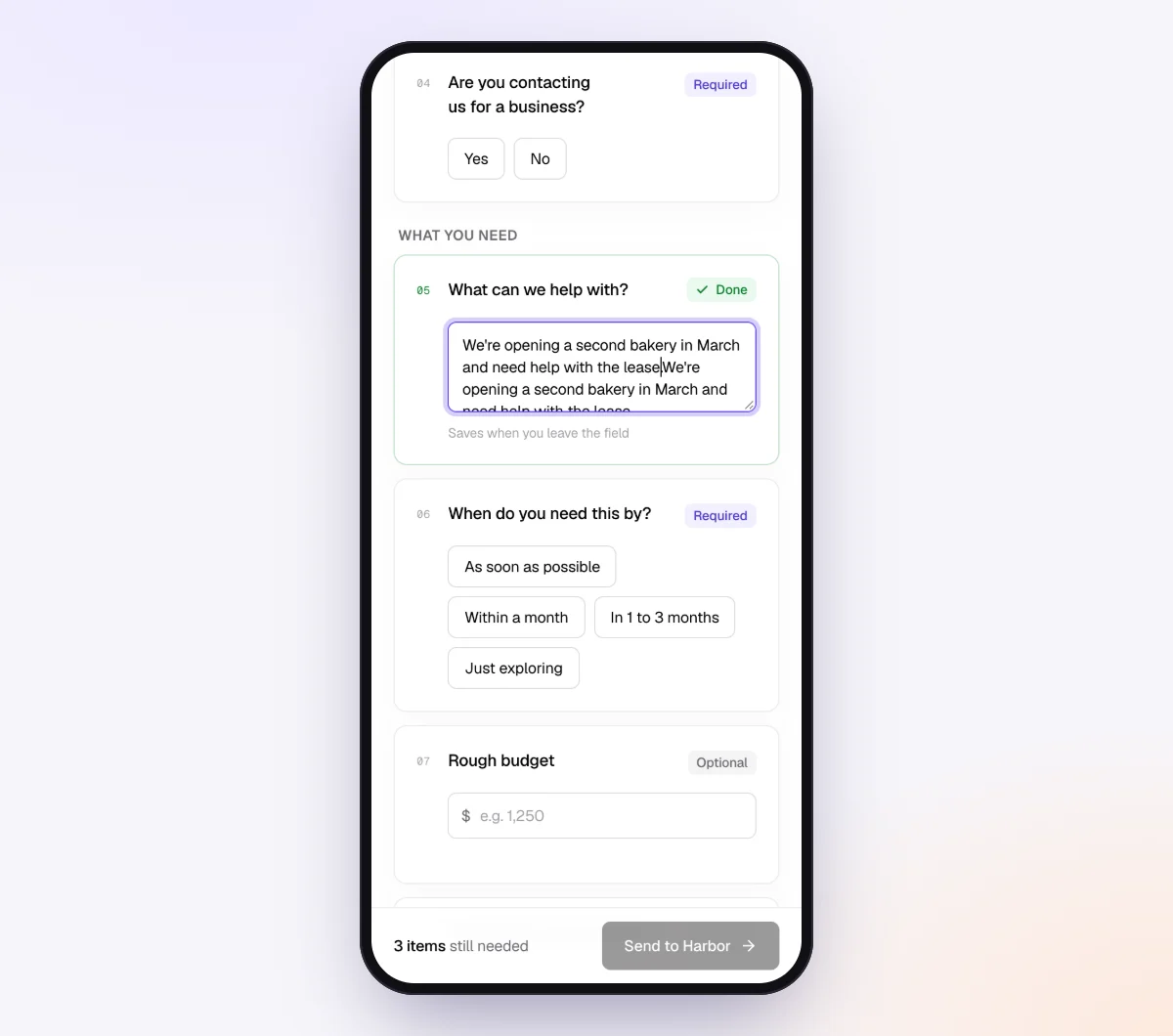
Mark small questions optional, or leave them off. Required questions count as missing until answered.
3. Create the request with context for the agent
Go to "Requests," click "New request," choose the client's checklist, add a reference such as "Acme Bakery, September 2026," the client's name and email, and a needed-by date a few days before you close. Leave "Email the link" on so the agent sends the invitation.

Add "Notes for the agent (private)" on the request, such as "J Smith on Venmo is usually their cleaner. If they're unsure about the ATM withdrawal, ask what it paid for."
4. The client answers on their phone
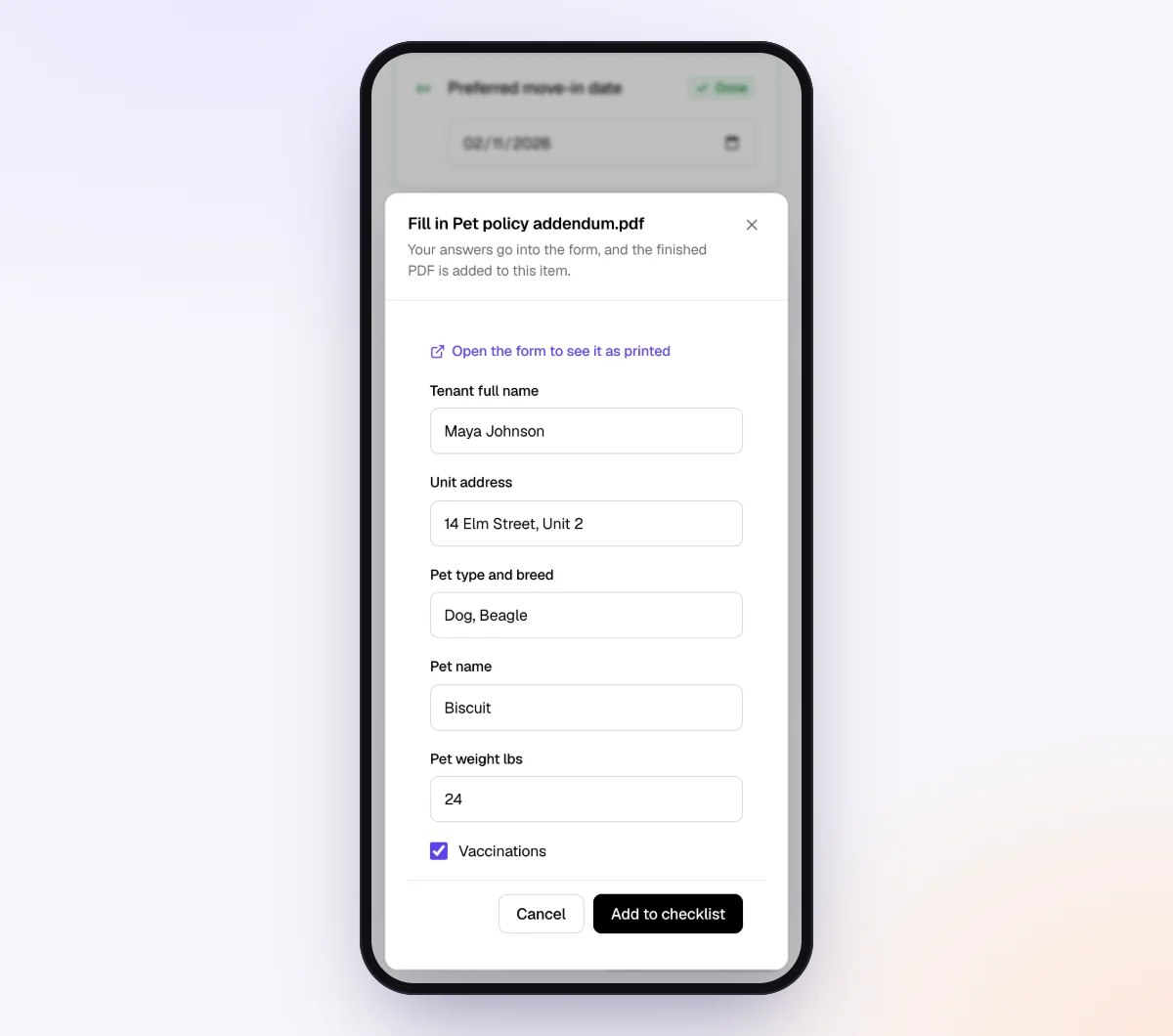
The client gets a branded invitation from your business name and opens the link on their phone, with no account. They see the documents you asked for, then the questions with tap-to-pick choices. If an answer calls for a receipt, the receipt item appears right there, and every upload is checked by document checks.
5. The agent chases, you book the answers
Reminders are paced to the needed-by date and list only what is still missing, including unanswered questions. If the client asks "what's the difference between supplies and inventory?", the agent answers from your checklist and notes, or hands off to you when the question is outside them.
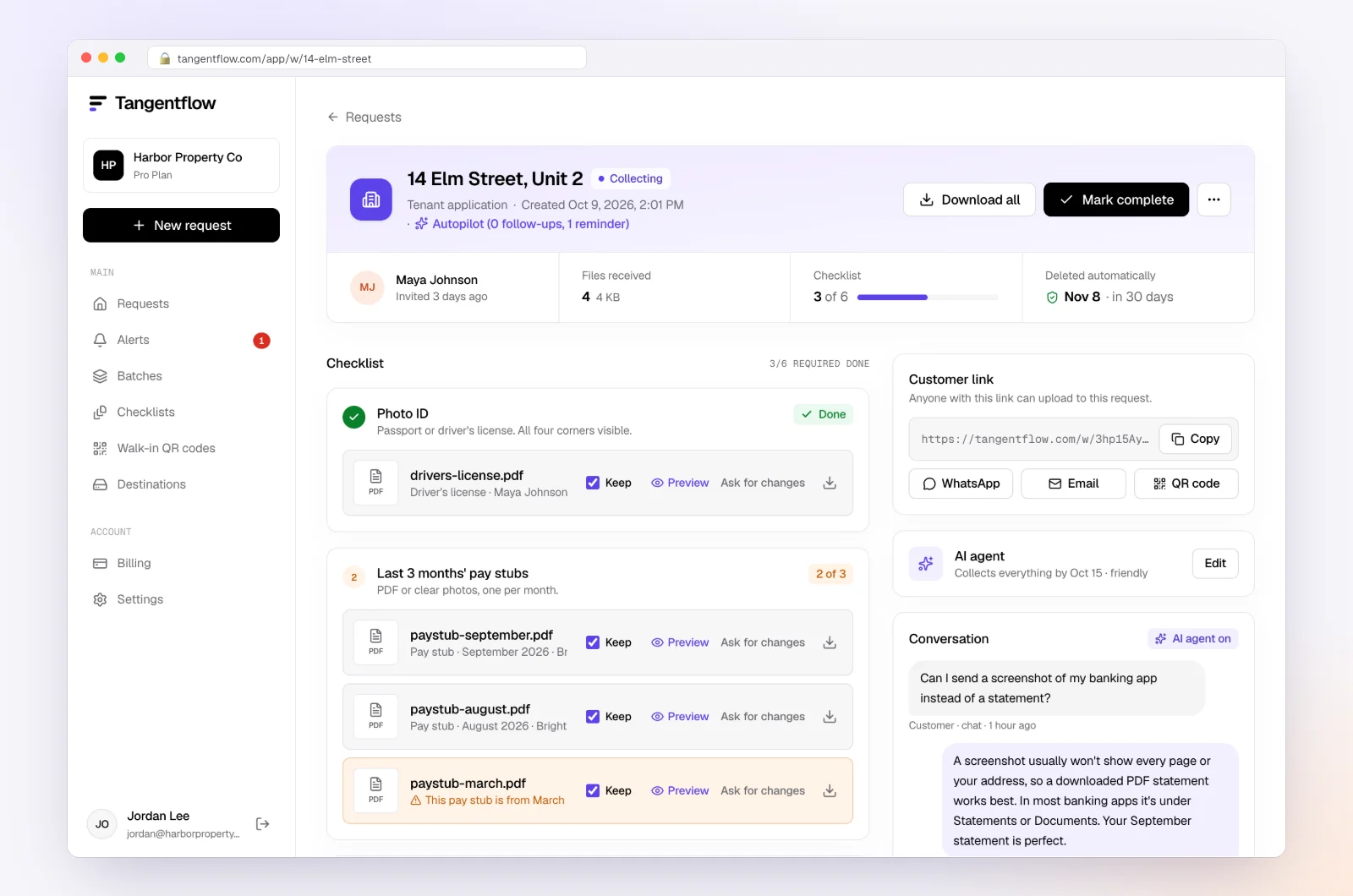
Book the answers in your ledger and add rules for the repeats. Download the ZIP, or on Pro deliver to Google Drive or a webhook, then mark the request complete. Files are deleted 24 hours later.
Setups by type of client
| Client type | Transactions that come up most | Choices worth adding | Settings worth turning on |
|---|---|---|---|
| Online store | Marketplace purchases, payout transfers, refunds | Inventory, Shipping supplies, Customer refund | Conditional receipt item for inventory |
| Contractor or trades | Supplier charges, e-Transfers and Zelle to subs, cash | Materials, Subcontractor, Equipment rental | Yes/no "New sub this month?" with a W-9 item; see collecting W-9 forms |
| Restaurant or café | Cash withdrawals, supplier e-Transfers | Petty cash, Food supplier, Staff tips | Required question on every cash withdrawal |
| Owner-heavy clients | Transfers to personal accounts, personal charges on business cards | Business, Personal, Partly both | "Require an email code" on the checklist |
"Require an email code" is an optional checklist setting: the client enters a 6-digit code emailed to them before the link opens. If a link goes to the wrong person, reset the customer's link from the request. After the client sends everything, the link no longer shows the files.
More for practices like yours on the bookkeepers page and the accounting and tax use case.
When something goes wrong
| Problem | Likely cause | Fix |
|---|---|---|
| "Not sure" to everything | Statement payees don't match how they remember purchases | Add the account and suggest where to look ("your Amazon order history for Sep 4") |
| Answers arrive, receipts don't | The receipt was a separate ask | Make the receipt item conditional on the answer, right under the question |
| Same questions every month | Answers aren't turned into rules | Add bank rules after each close and keep a client notes file |
| Questions still open at year-end | No default was set | Put a default in your engagement letter and park items visibly on reports |
| Client is upset about reminders | Busy month, too many emails | In Tangentflow the agent stops and hands off to you; reply personally |
Check "Alerts" daily during close week. That's where handoffs and missed dates show up.
Free and Pro, honestly
You can run a real request for free.
| Free | Pro ($29/month) | |
|---|---|---|
| Open requests | 1 at a time | Unlimited |
| AI check on each file | Yes | Yes |
| AI autopilot (answers, reminders, follow-ups) | Your first request | Every request |
| Send to many clients at once (Batches) | No | Yes |
| Clients reply by email with attachments | No | Yes |
| Branding | Tangentflow badge | Your logo |
| Delivery to Google Drive or a webhook | No | Yes |
| Works with AI assistants (MCP) | No | Yes |
| File retention | 7 days | 60 days |
Both plans include unlimited checklists, QR codes and posters, ZIP export, AI summaries and email delivery. Pro is billed monthly with no contract, and you can cancel any time. Full details on the pricing page.
What Tangentflow does not do: SMS or text messages, a native mobile app, full legal e-signature certificates, identity verification, collecting payments, or permanent storage. If you need any of those, pair it with a tool that does. It also does not connect to bank feeds or your ledger, pull uncategorized transactions, categorize transactions or replace your bookkeeping software.
Clearing uncategorized transactions: the recap
- Categorize everything you can before asking anything.
- Agree on thresholds and defaults with each client, in writing.
- Build one list per client per month, in date order.
- Give the date, payee as on the statement, amount and account for each item.
- Offer your best guess and two to four choices, plus "Not sure."
- Ask for a receipt only when the answer calls for one.
- Send on the same day every month with a needed-by date before your close.
- Remind once or twice, listing only what is still open.
- Park unanswered items visibly and close on time.
- Turn every repeat answer into a bank rule or a client note.
Frequently asked questions
What are uncategorized transactions?
Transactions that haven't been assigned to a real income or expense category, usually because the bank line doesn't say what they were. In QuickBooks Online they often land in Uncategorized Expense or Uncategorized Income, and many bookkeepers park them in an Ask My Accountant or suspense account until the client answers. That account should be cleared at each month-end.
How do I ask a client about transactions without annoying them?
Send one batched list per month instead of one email per transaction. Give the date, payee, amount and your best guess for each, with a few answer choices, so most items take one word. Keep the same subject line and send day every month.
Should I categorize small transactions without asking?
Many bookkeepers book items under an agreed amount to a best guess. Agree on the amount in writing, list best-guess items on the report, and never apply it to cash, owner transfers or unexplained deposits.
What should I do if a client never answers?
Close on time with the items parked in a holding account and listed on the report, so the gap is visible. If a client never answers by email, switch to a short monthly or quarterly call.
How do I stop asking the same questions every month?
Turn every repeat answer into a bank rule in QuickBooks Online, Xero or your ledger software, and keep a notes file for answers that aren't rules.
Can Tangentflow pull uncategorized transactions from QuickBooks or Xero?
No. Tangentflow doesn't connect to your ledger or bank feed. You write the questions yourself as question items on the client's monthly checklist, and the agent sends the request and chases the answers and receipts.
Is there a free way to try this?
Yes. The Free plan gives you one open request at a time with the full AI agent on your first request, so you can send one client their monthly documents and transaction questions together. Try it free.